
Brodox Official
1 year ago
brodox.com
How to Manage/Change Your Profile Credentials in Brodox
Easily update your profile credentials in Brodox by accessing Profile Settings from the dashboard. Change your name, email, or password in just a few steps to keep your account secure and up to date.
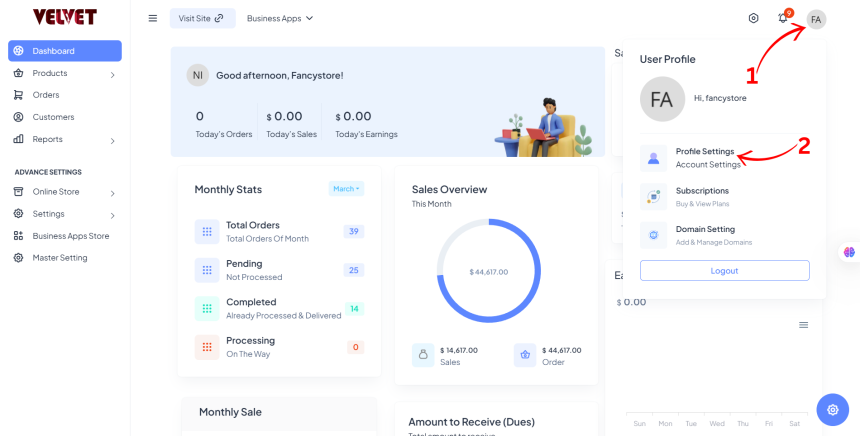
Step 1: Access Profile Settings
- Click on the User Profile Icon at the top right corner of your Brodox dashboard.
- Select Profile Settings from the options.
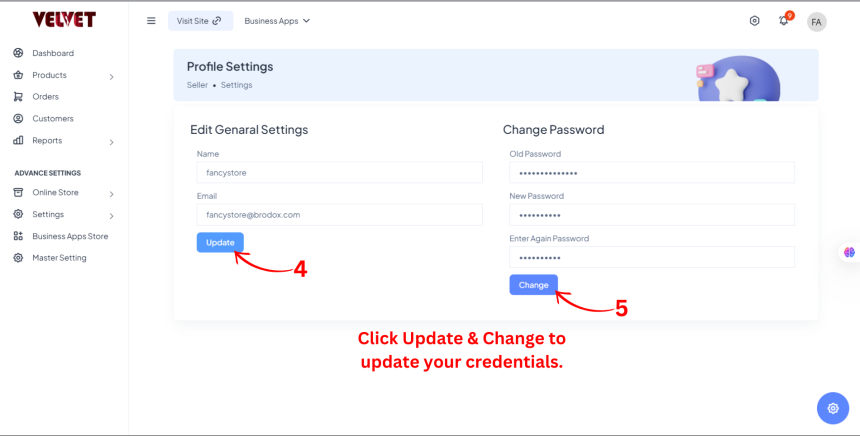
Step 2: Edit Profile Details
- Update your Name and Email as needed.
- To change your password, enter your Old Password, then set and confirm a New Password.
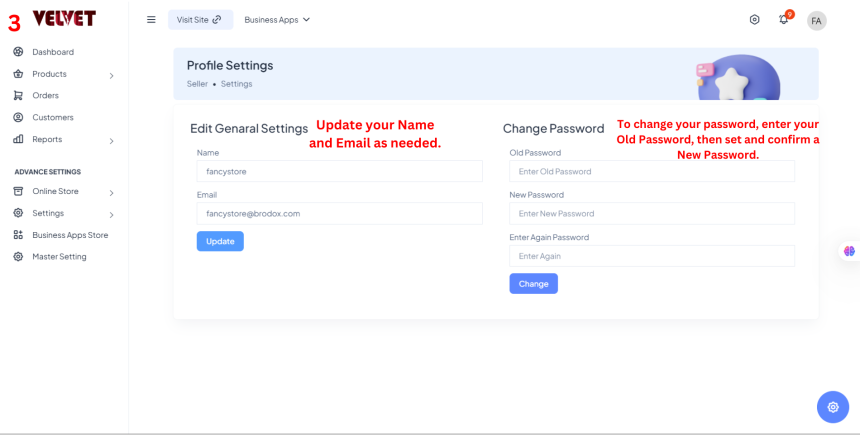
Step 3: Save Changes
- Click Save to update your credentials.
You're all set! Your profile credentials are now updated in Brodox.