
Brodox Official
1 year ago
brodox.com
How to Add New Staff and Roles in Brodox
Easily manage your team in Brodox by adding new staff members and assigning roles. Follow these simple steps to set up staff accounts and define role permissions.
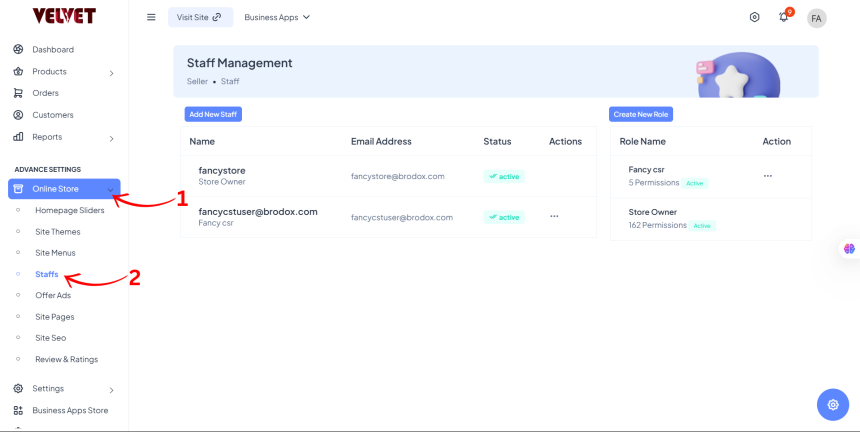
Step 1: Navigate to Staff Management
- From the Dashboard Sidebar, go to Online Store.
- Select Staffs from the dropdown menu.
Step 2: Add a New Staff Member
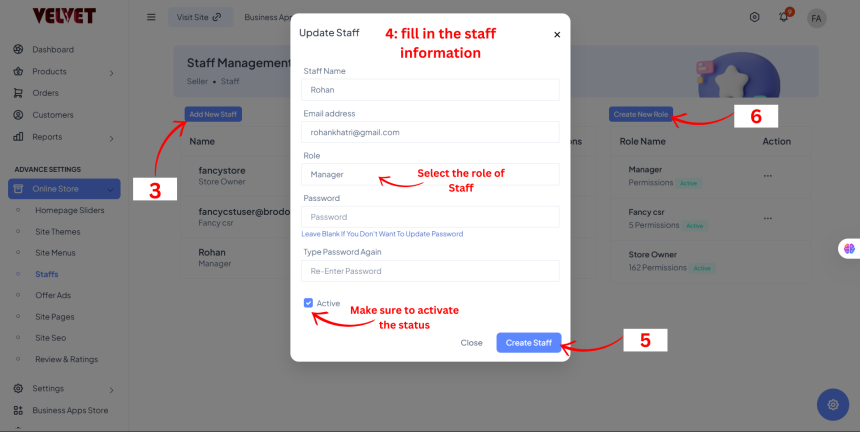
- Click on Add New Staff.
- Enter the Staff Name, Email Address, Role, and Password.
- Toggle the Active status to enable the staff account.
- Click Create Staff to finalize.
Step 3: Create and Assign Roles
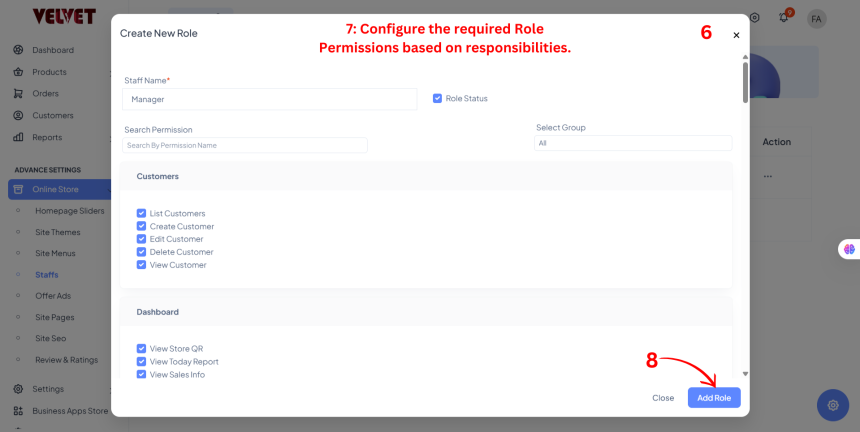
- Click on Create New Role.
- Configure the required Role Permissions based on responsibilities.
- Click Add Role to save the role.
Now, your staff members are added with the appropriate roles and permissions in Brodox! 🚀