

How to Add a Sales Source in Brodox
Managing multiple sales sources is essential for e-commerce success. Brodox allows businesses to integrate and track sales sources efficiently. Follow these simple steps to add a sales source in Brodox
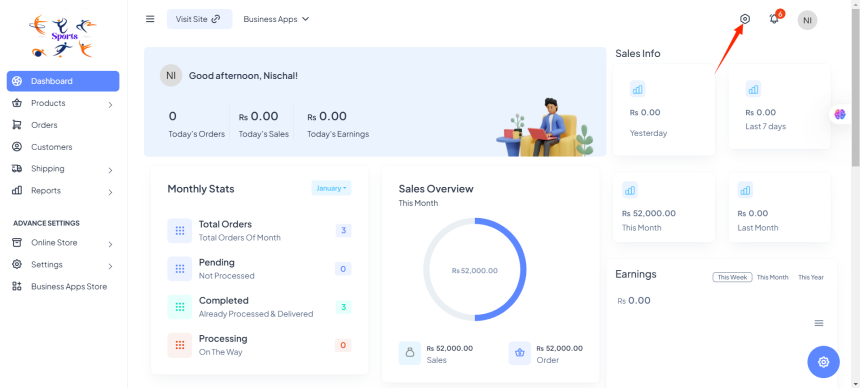
Step 1: Log in to Your Brodox Dashboard
- Go to Brodox and log in using your credentials.
- Once logged in, navigate to the Dashboard.
Step 2: Click on Advanced Settings
- On the left-hand menu, click on Advanced Settings.
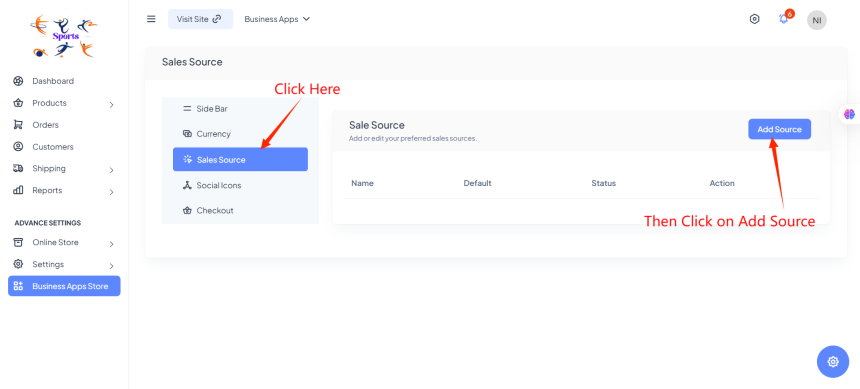
- Click on Sales Source from the available options.
Step 3: Add a New Sales Source
In the Sales Source section, you will see an option to manage your sales sources.
Click the Add Source button.
Step 4: Enter Sales Source Details
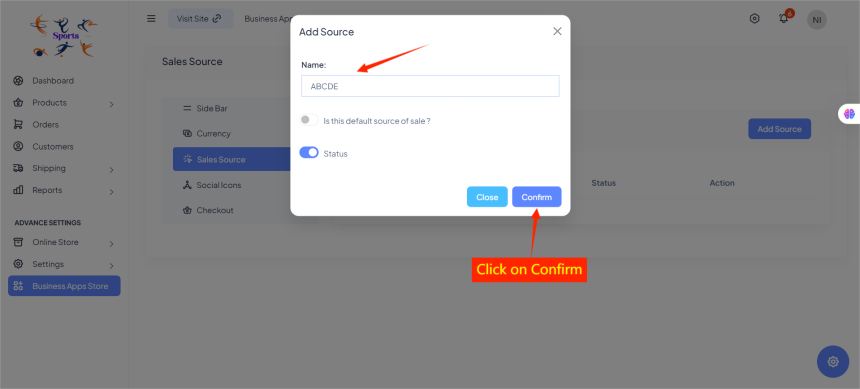
- A form will appear asking for the Name, Default Selection, and Status.
- Fill in the necessary details:
- Name: Define the source name (e.g., Facebook Ads, Google Shopping, Direct Sales, etc.).
- Default: Choose if this source should be set as the default.
- Status: Enable or disable the sales source.
Step 5: Save and Manage Your Sources
Click Save to add the sales source.
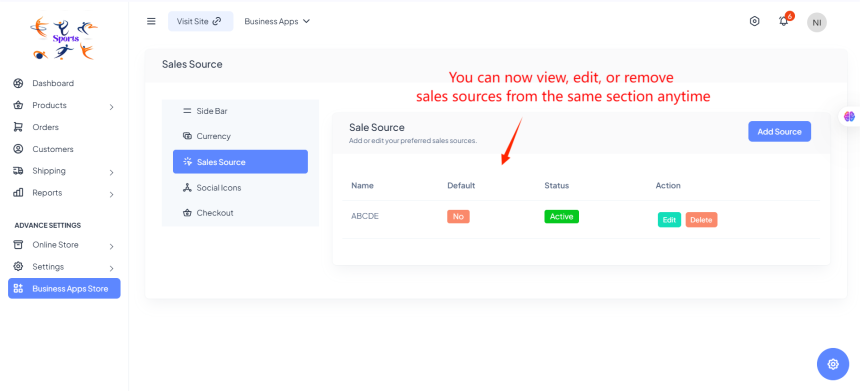
You can now view, edit, or remove sales sources from the same section anytime.
Step 6: Monitor Sales Performance
Once your sales sources are set, track performance via Reports to analyze revenue from each source.
By following these steps, businesses can efficiently track and optimize their sales channels within Brodox. Stay organized and improve decision-making by properly managing your Sales Sources