
Brodox Official
1 year ago
brodox.com
How to Install and Use TawkTo in Brodox
Follow these steps to install and set up TawkTo in Brodox to enable live chat support for your business.
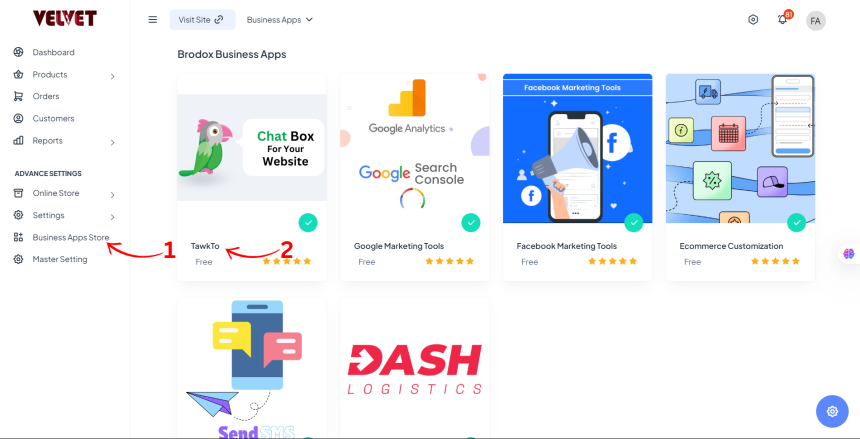
Step 1: Navigate to Business Apps Store
- Go to the Dashboard in your Brodox account.
- Click on Business Apps and select TawkTo from the available apps.
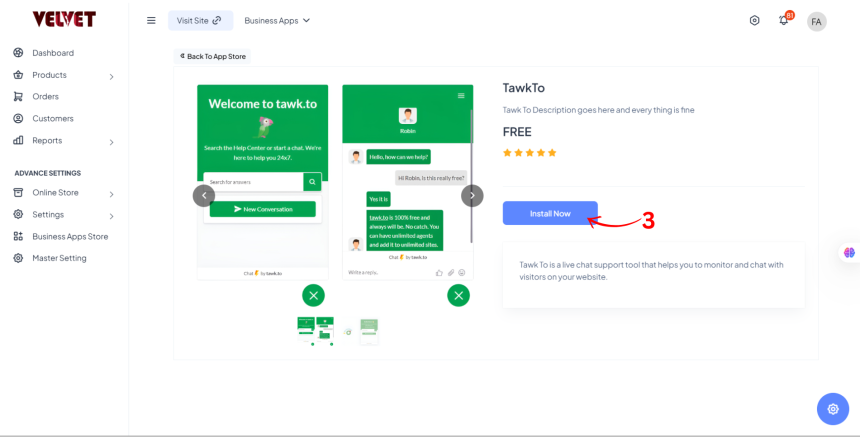
Step 2: Install TawkTo
- On the TawkTo app page, click Install to begin the installation process.
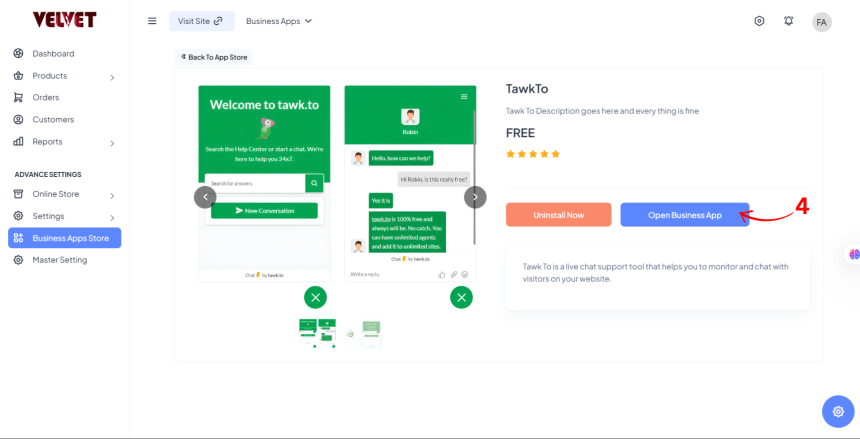
Step 3: Open Business App
- After installation, click Open Business App to access the TawkTo setup.
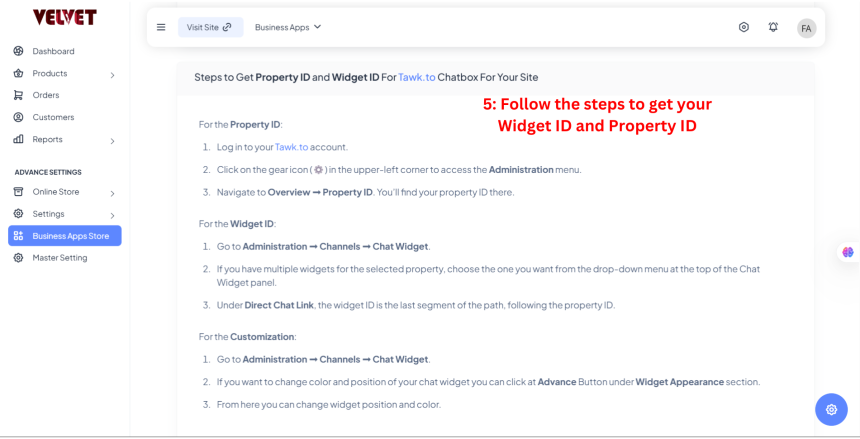
Step 4: Get Property ID & Widget ID
- Scroll down to find instructions on retrieving your Property ID and Widget ID from your TawkTo account.
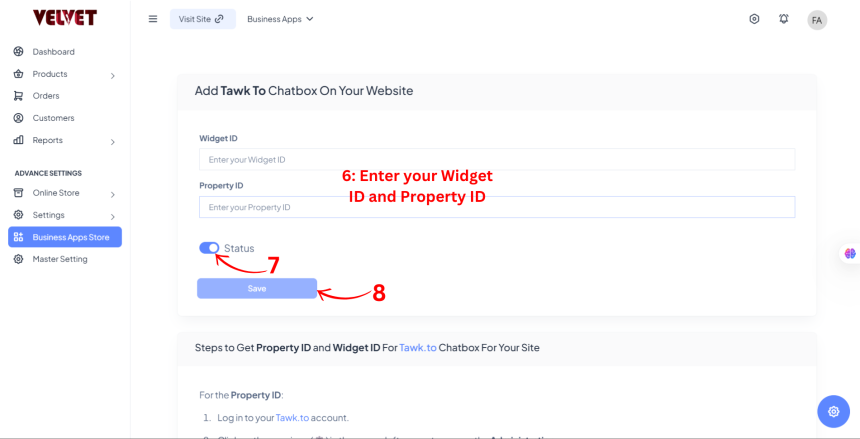
Step 5: Enable & Save
- Enter your Widget ID and Property ID.
- Toggle the Status to ON to activate TawkTo.
- Click Save to finalize the setup.
Your TawkTo live chat is now active on Brodox!