
Brodox Official
1 year ago
brodox.com
How can you add slider in Brodox?
Brodox provides full permission to every business to customize their ecommerce store. The one of the main customization that you must have in your ecommerce store is slider customization. Slider makes your store more attractive and good looking. Here is easiest way to add slider in your ecommerce store using Brodox.
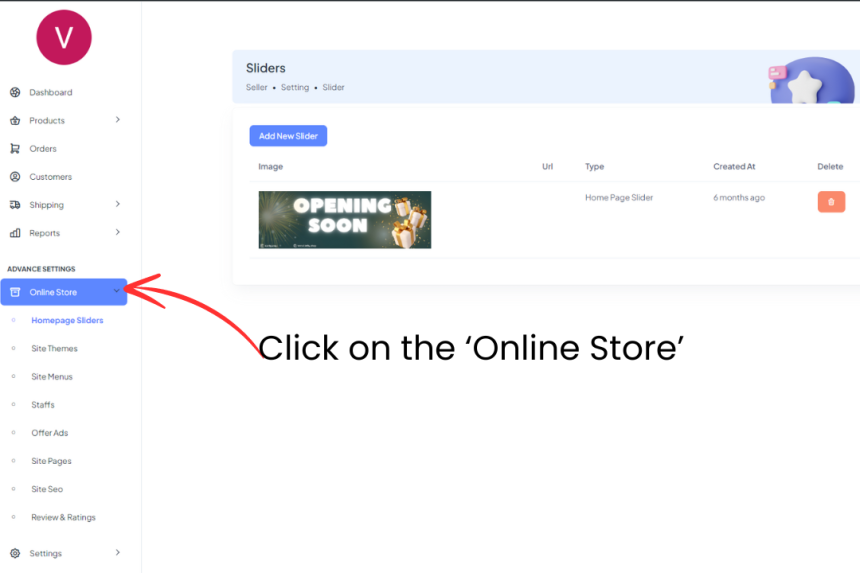
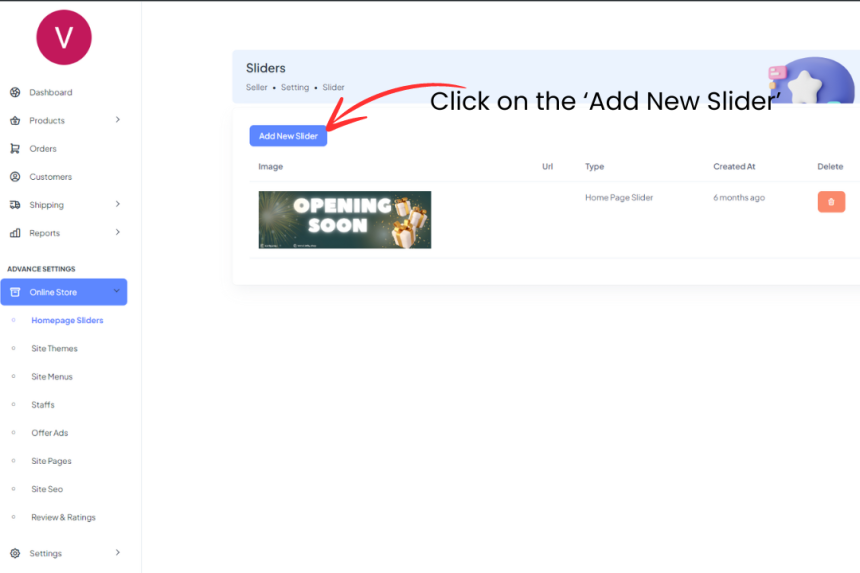
Firstly, click on the 'Online Store'.
Then you will see 'Homepage Slider'. Click on it.
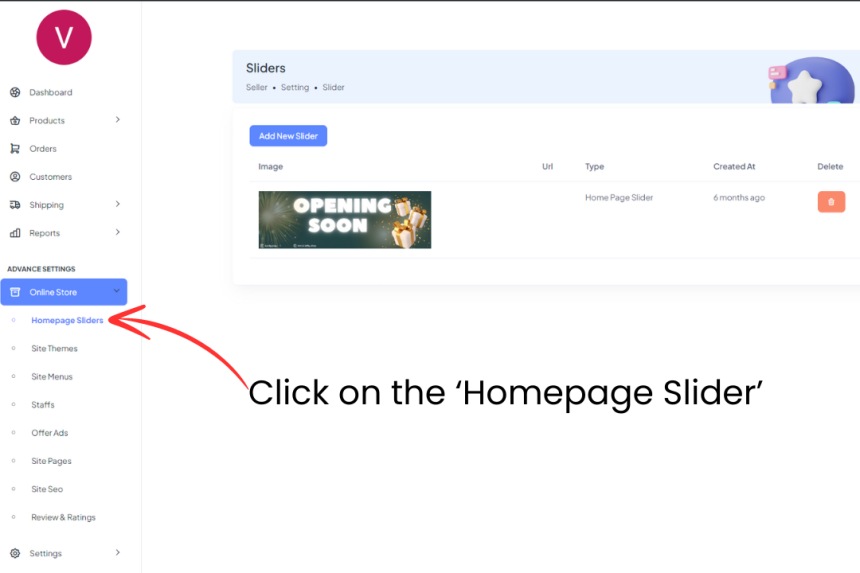
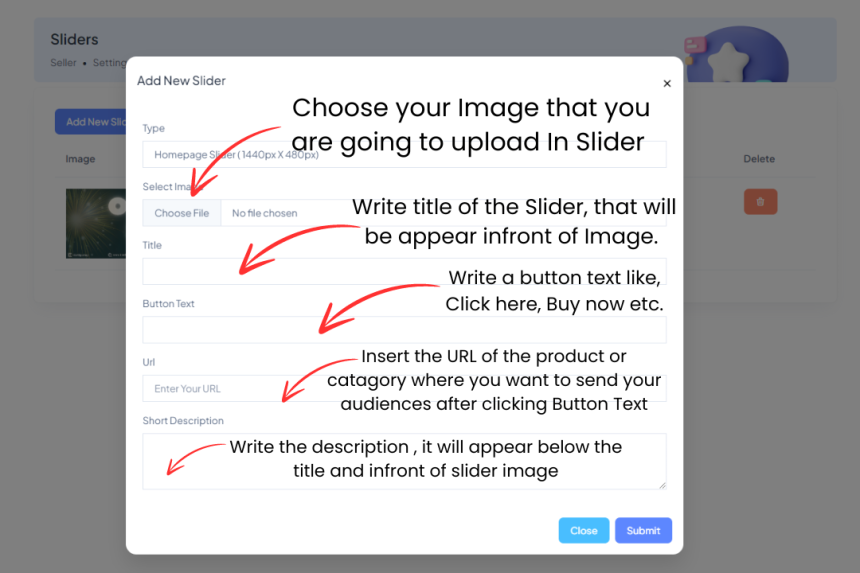
There you will see ' Add New Slider' button.Click on that Button.
- Choose your Image that you are going to upload In Slider.
- Write title of the Slider, that will be appear infront of Image.
- Write a button text like, Click here, Buy now etc.
- Insert the URL of the product or catagory where you want to send your audiences after clicking Button Text.
- Write the description , it will appear below the title and infront of slider image