
Brodox Official 10 months ago
brodox.com

How to Add WhatsApp API in Brodox

Integrating WhatsApp API in Brodox allows customers to contact you directly from your store. Follow these steps to set it up.

Step 1: Navigate to WhatsApp API Settings

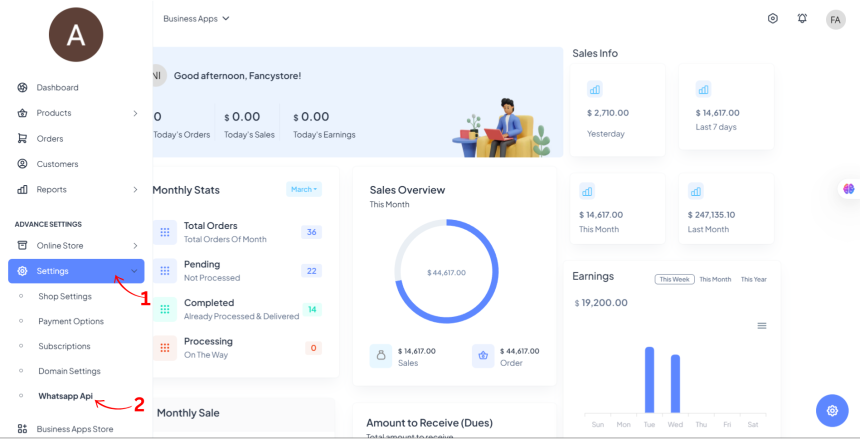
  • Go to Dashboard
  • Click on Settings
  • Select WhatsApp Api

Step 2: Enter WhatsApp API Details

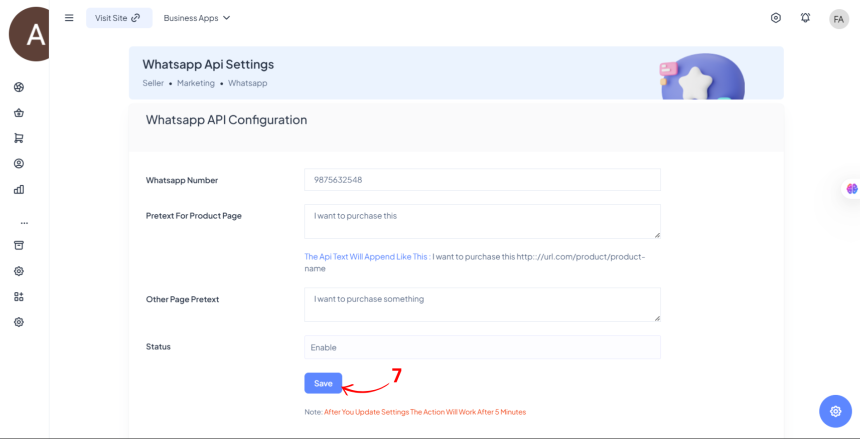
  • WhatsApp Number (Enter your WhatsApp business number)
  • Pretext for Product Page (Enter a message that will be sent with product links)
  • Other Page Pretext (Enter a message for non-product pages)
  • Status (Set to "Enable" to activate the API)
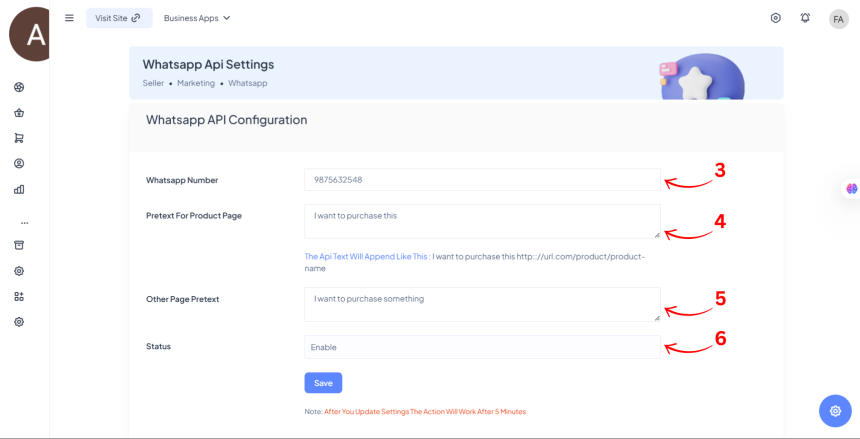
Step 3: Save

  • Click Save to apply the changes.


Note: The settings will take effect after 5 minutes.

0
397
Shortcut way to add attributes and its value?

Shortcut way to add attributes and its value?

1703321151.png
Brodox Official
1 year ago
10 Types of Emails Every Ecommerce Business Can Use

10 Types of Emails Every Ecommerce Business Can Use

1703321151.png
Brodox Official
11 months ago
How to Install and Use Google Marketing Tools in Brodox

How to Install and Use Google Marketing Tools in Brodox

1703321151.png
Brodox Official
10 months ago
How to Add tawk.to Customer Support Chatbox in brodox?

How to Add tawk.to Customer Support Chatbox in brodox?

1703321151.png
Brodox Official
1 year ago
How to Install Brodox POS Pro: Complete Setup Guide for Businesses

How to Install Brodox POS Pro: Complete Setup Guide for Businesses

1703321151.png
Brodox Official
2 weeks ago