
How to Set up Payment Gateway on Brodox
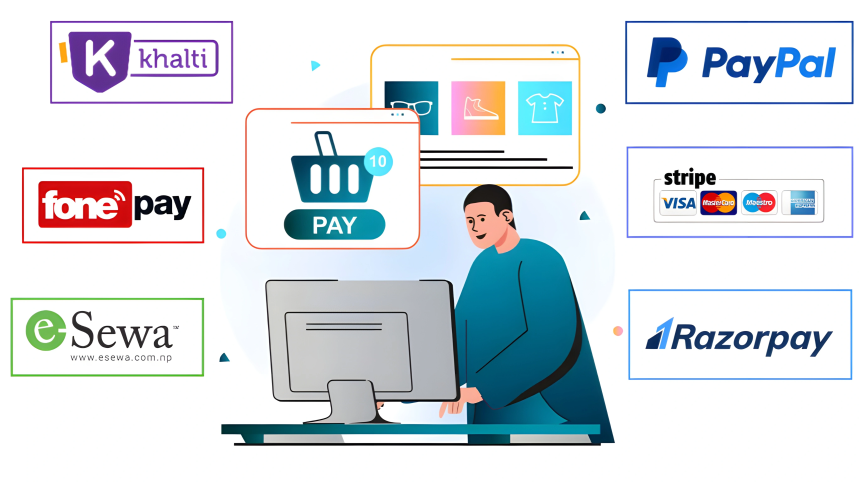
Brodox provides a custom payment gateway that streamlines the process of receiving payments from various providers. Brodox has highly secure and reliable payment system integrated. This solution enables seamless payment processing from multiple gateways through a single, unified platform.
Log in to your account, go to Shipping, and click on "Shipping Locations."
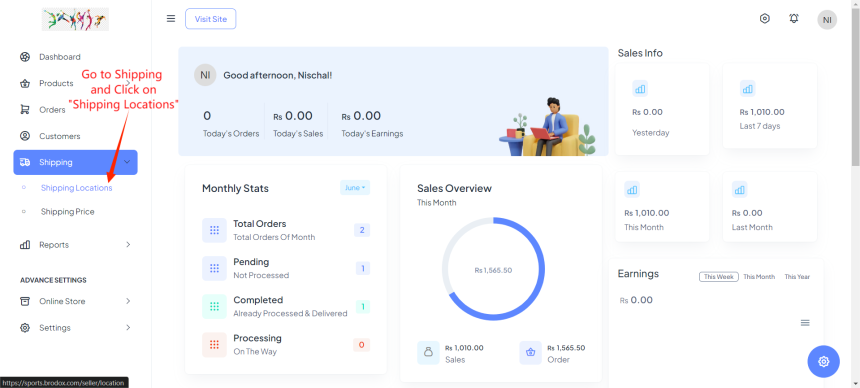
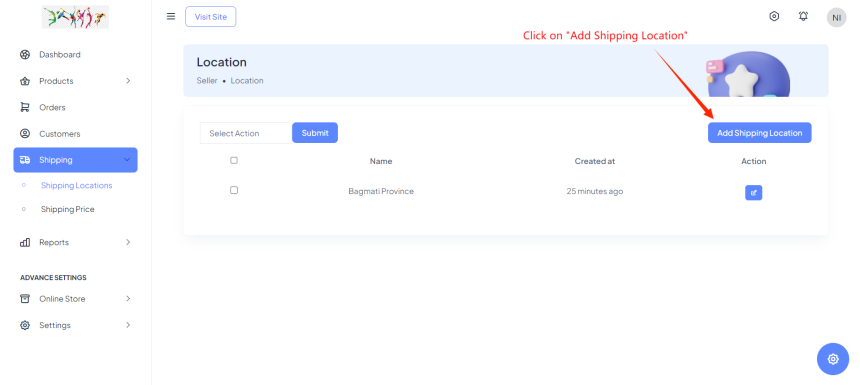
After Clicking on Shipping Locations, at the right side there you can see "Add on Shipping Locations". Simply Click there.
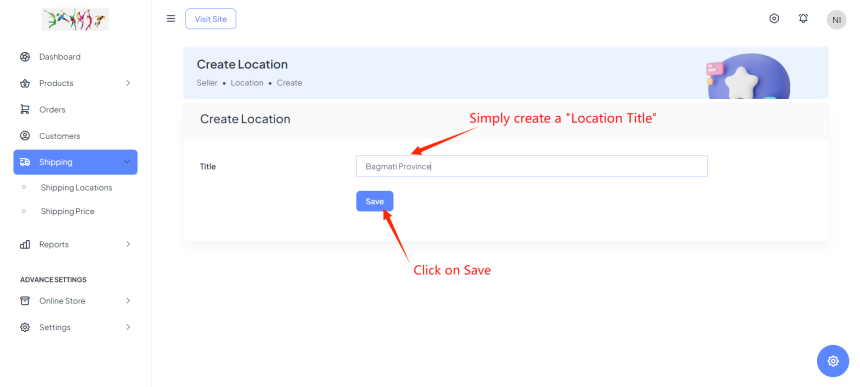
After adding shipping Locations. You have to create a Location title. for example, "Bagmati, Province," and click Save.
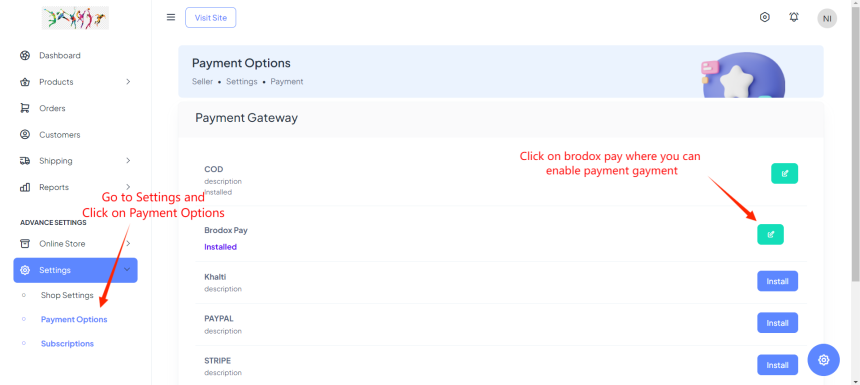
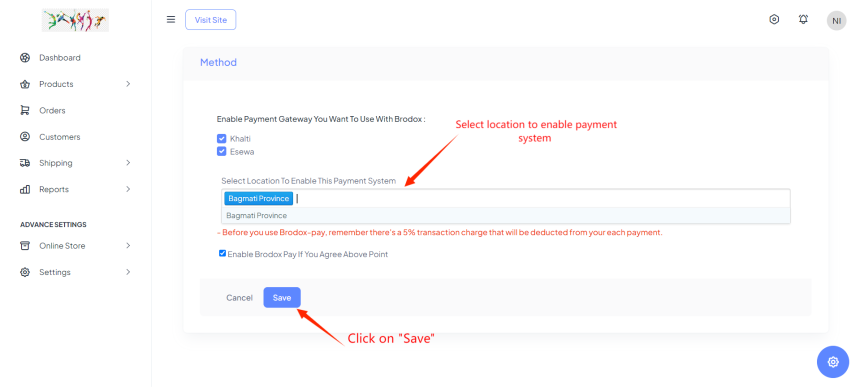
After adding shipping locations, go to Settings and click on Payment Options. On the right, find and install "Brodox Pay," then enable the payment gateway.
Choose the location to enable the payment system you added under Shipping Locations and click Save.
Visit our blog at blog.brodox.com to learn more about Brodox and stay updated on the latest news. Thanks for visiting!