
Brodox Official 1 year ago
brodox.com

Add shipping location and shipping price in Brodox.

This is the step-by-step guied to add shipping location and shipping price in Brodox.

Step 1: Click On ‘Shipping’ text.

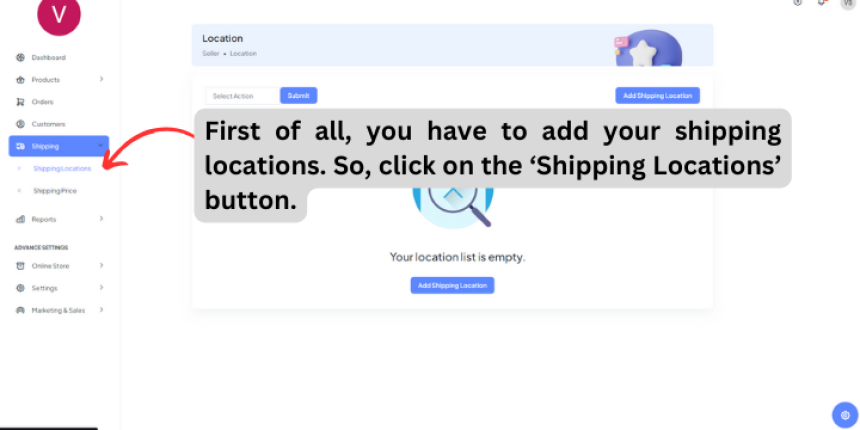
Step 2: First of all, you have to add your shipping locations. So, click on the ‘Shipping Locations’ button.
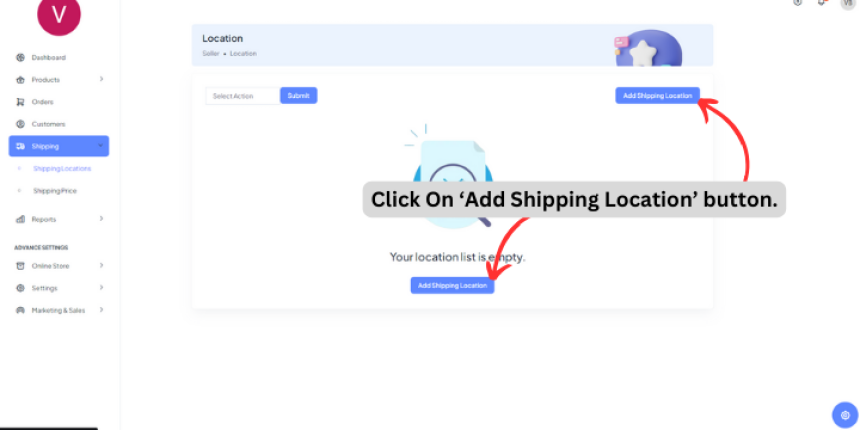
Step 3: Click On ‘Add Shipping Location’ button.
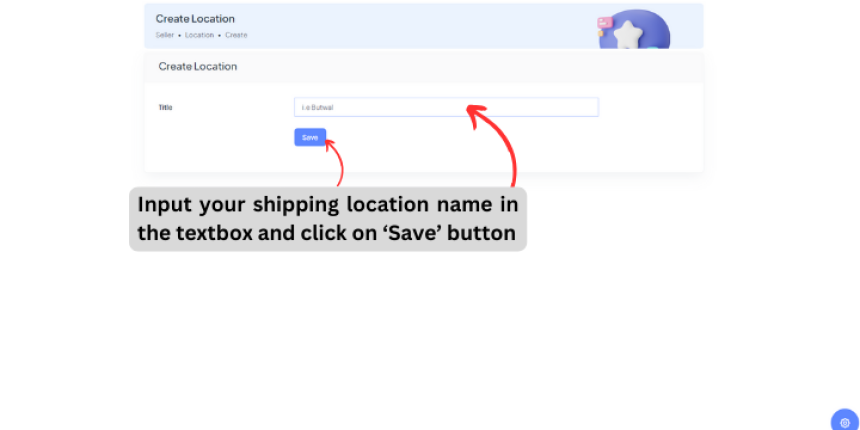
Step 4: Input your shipping location name in the textbox and click on ‘Save’ button.
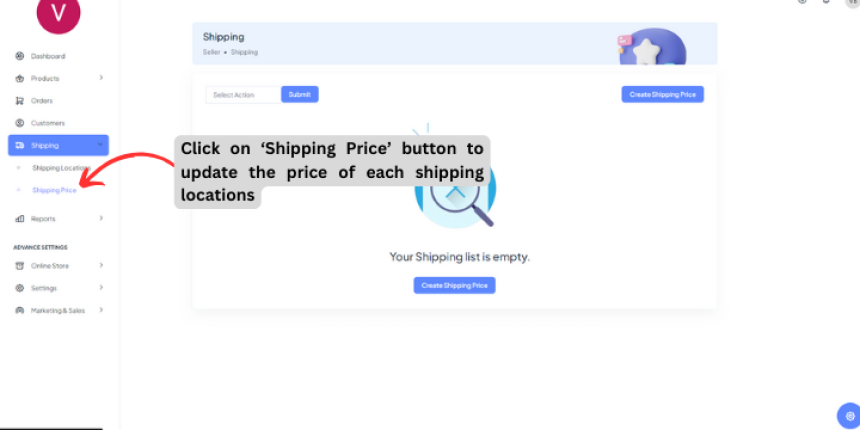
Step 5: Click on ‘Shipping Price’ button to update the price of each shipping locations.
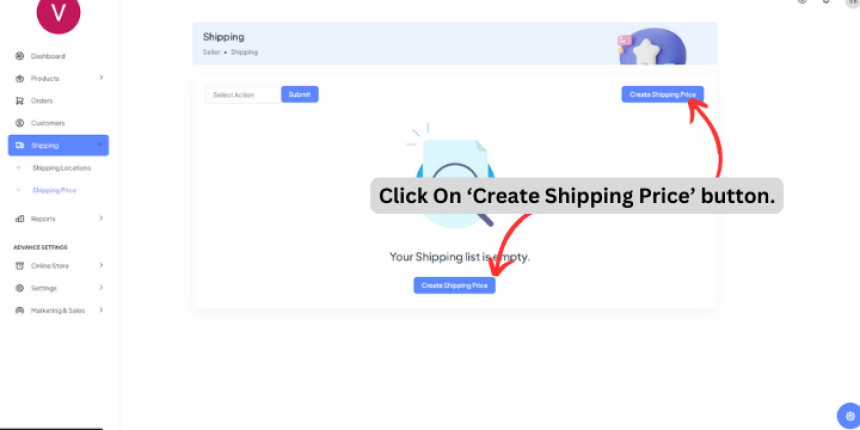
Step 6: Click On ‘Create Shipping Price’ button.
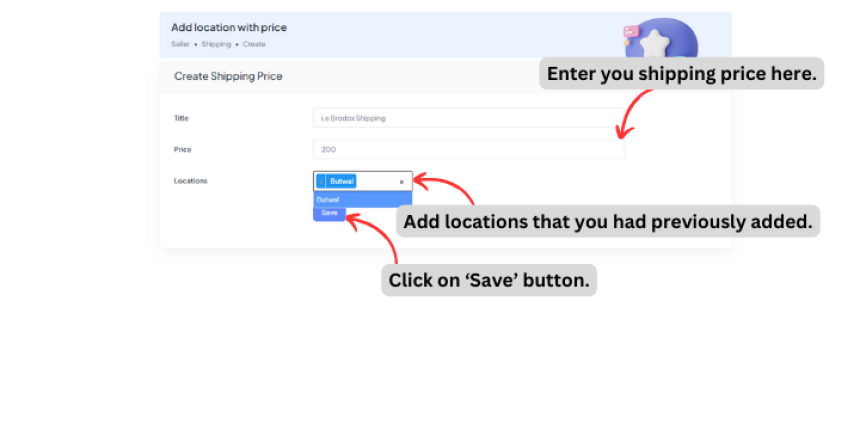
Step 7: Enter you shipping price, Add location that you had previously added and click on 'Save' button.
1
762
How to Add tawk.to Customer Support Chatbox in brodox?

How to Add tawk.to Customer Support Chatbox in brodox?

1703321151.png
Brodox Official
1 year ago
About Brodox | Business Operating System

About Brodox | Business Operating System

1703321151.png
Brodox Official
2 years ago
How can you add slider in Brodox?

How can you add slider in Brodox?

1703321151.png
Brodox Official
1 year ago
How to Install Brodox POS Pro: Complete Setup Guide for Businesses

How to Install Brodox POS Pro: Complete Setup Guide for Businesses

1703321151.png
Brodox Official
2 weeks ago
How to Simplify Your Brodox Subscription Process?

How to Simplify Your Brodox Subscription Process?

1703321151.png
Brodox Official
1 year ago