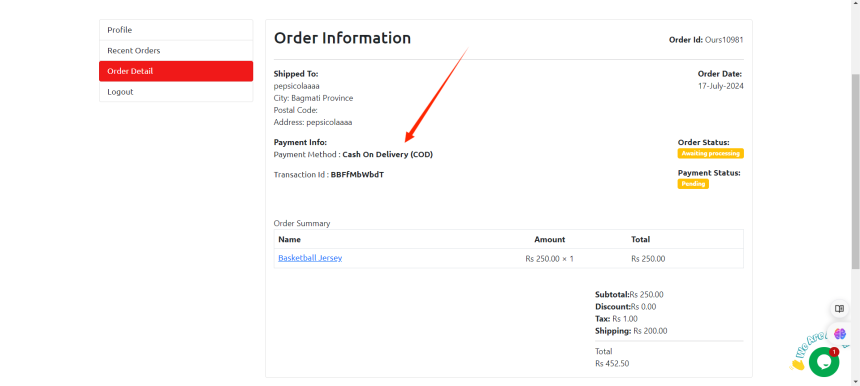

How to view order of customers?
To view a customer's order in Brodox, log in to your account and navigate to the "Orders" section. Use the search bar to find the customer by name, email, or order ID, then click on the order to see detailed information, including items purchased and shipping details.
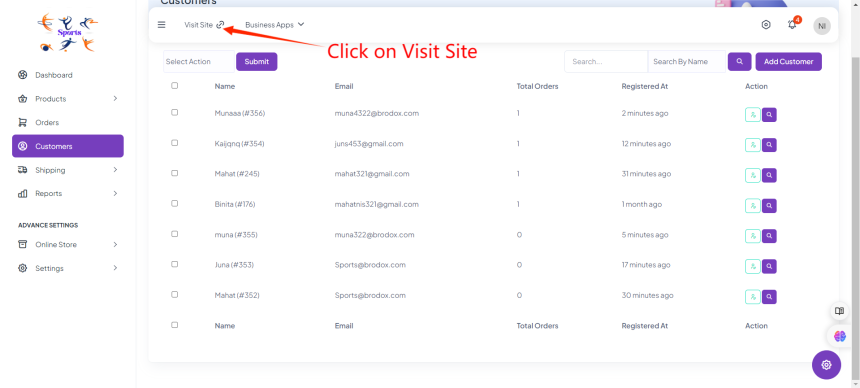
Log in to your Brodox account: Go to the Brodox website and log in with your credentials. Then Click on "Visit Site".
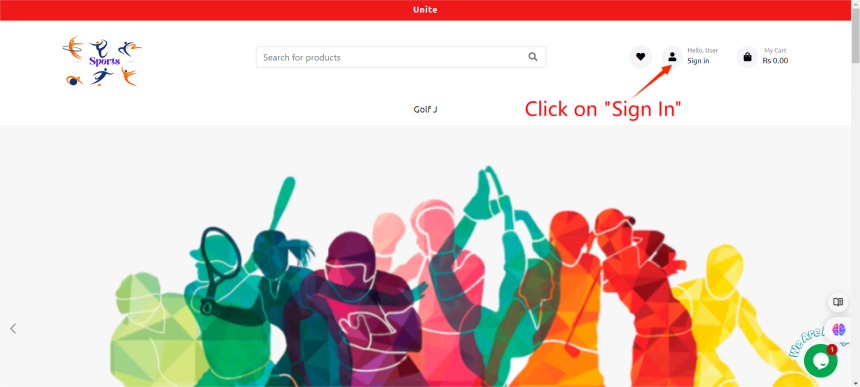
Click on Sign In.
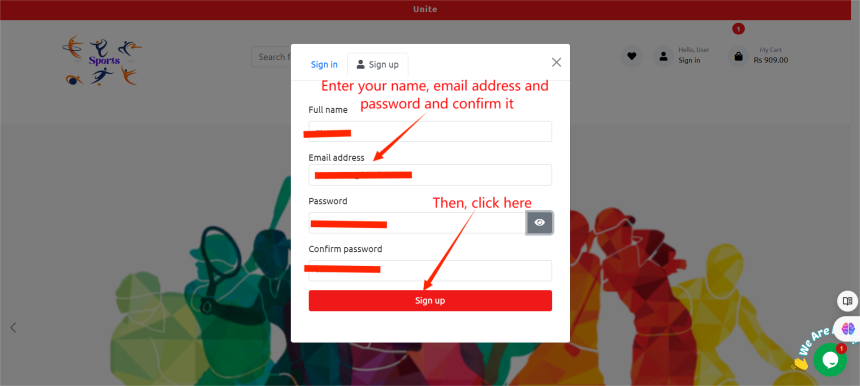
Enter email id, name, password and confirm it.
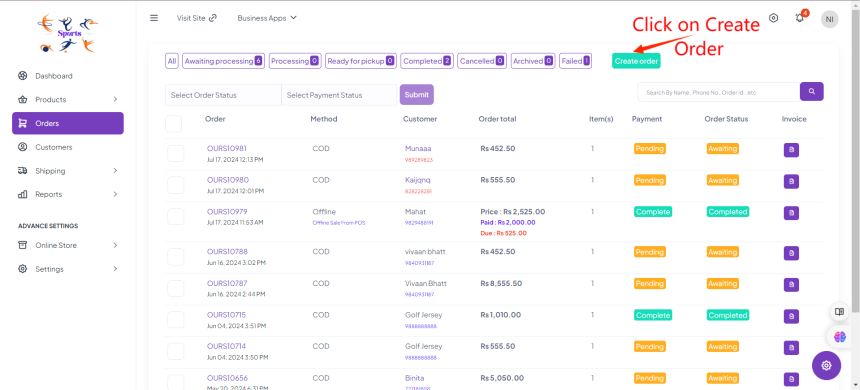
Go back to orders. On the right side, click on create order.
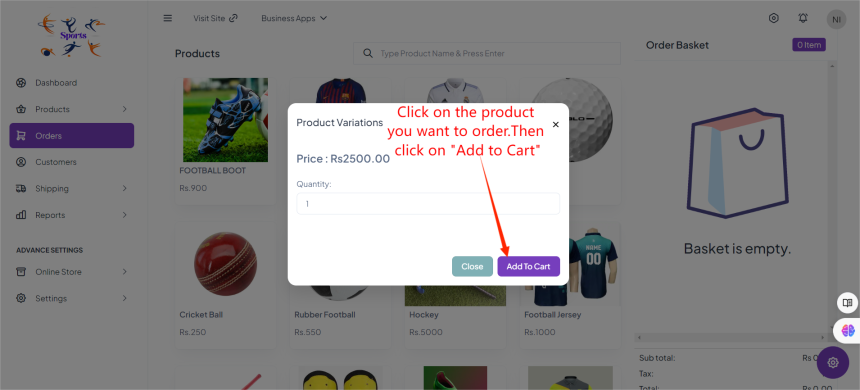
Click on any product you want to order.
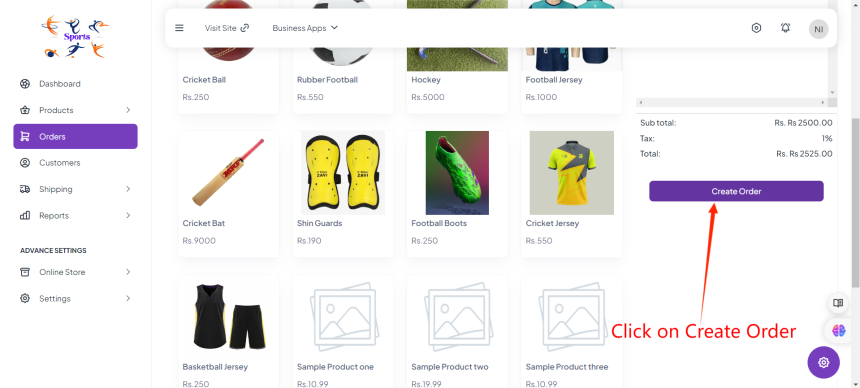
Simply create order.
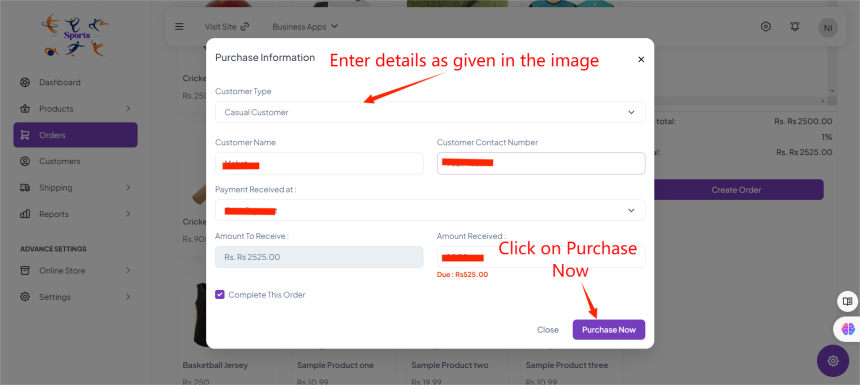
Enter detail description as given in the image.
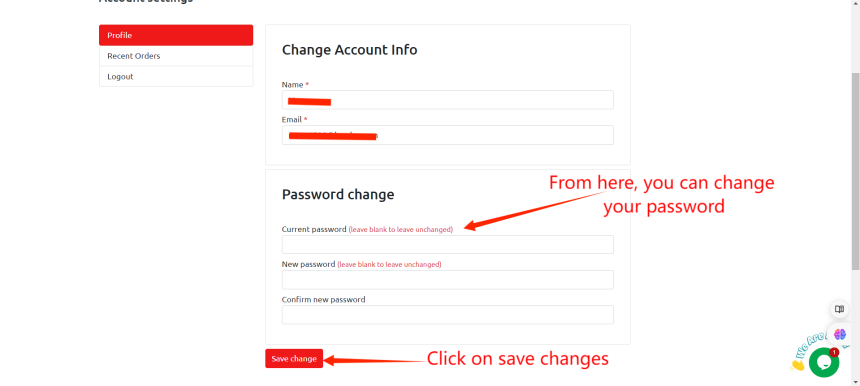
Go to Profile. Enter name, email address. Reminder: You can change your current password to new one.
Click on Recent orders. You can see the details information of the product you ordered. Click on viewing.
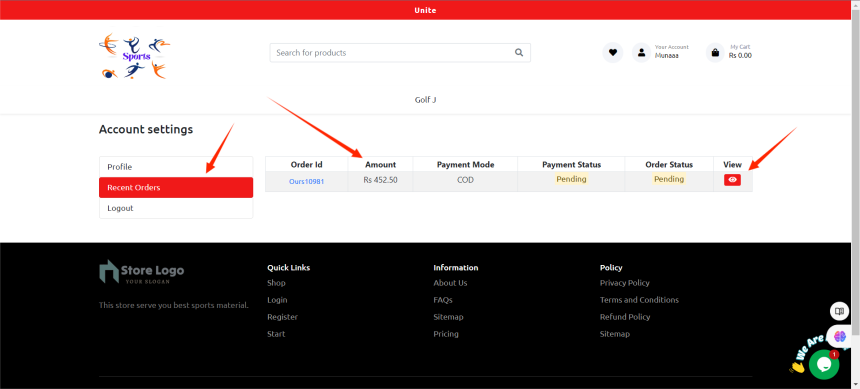
Once you click on viewing, you can see product detail information.