

Shortcut way to add attributes and its value?
Brodox is a powerful business operating system that allows you to digitally and physically automate your business. You can add attributes and their values in more shortcut way to make your business run smoother.
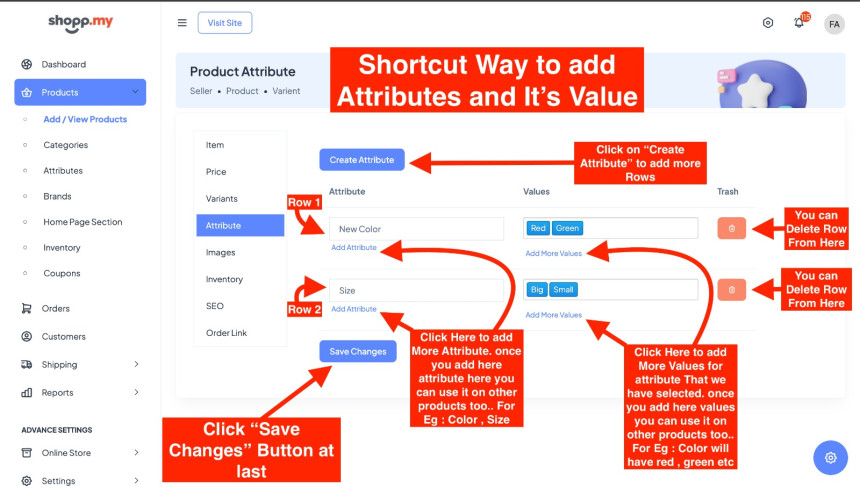
Start by clicking on "Create attributes" to add more rows. Then, in each row, click to add new attributes like color or size, which you can then use across different products. Next, click to add values for each attribute you've selected, such as red or green for color. These values can also be reused for different products. If needed, you can delete any rows you don't need. Finally, remember to save your changes by clicking the save button when you're done.
To find out more about Brodox, check out our website at blog.brodox.com. There, you'll discover lots of info about what we do and the latest happenings. We'd love for you to explore and learn more about Brodox on our blog. Thank you for visiting!