
Brodox Official
1 year ago
brodox.com
How to Set Up Your Currency in Brodox
Setting up the right currency in Brodox is essential for accurate pricing and transactions. Follow these simple steps to configure your currency settings easily.
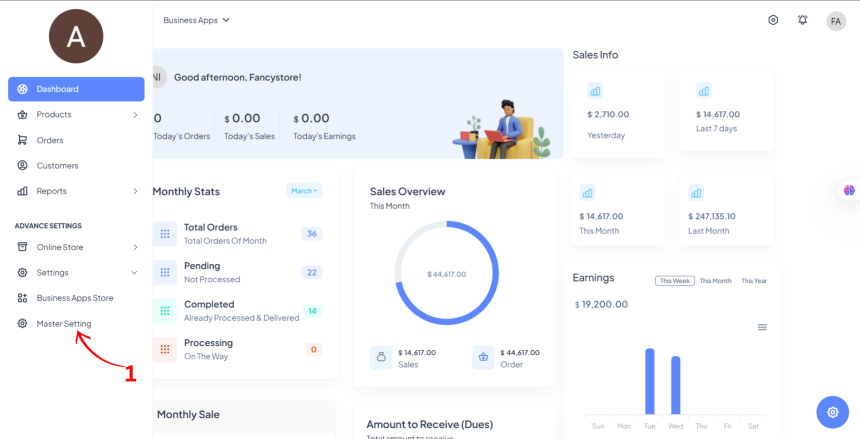
Step 1: Navigate to Master Settings
- Click on Master Settings from the sidebar.
- Select Currency from the available options.
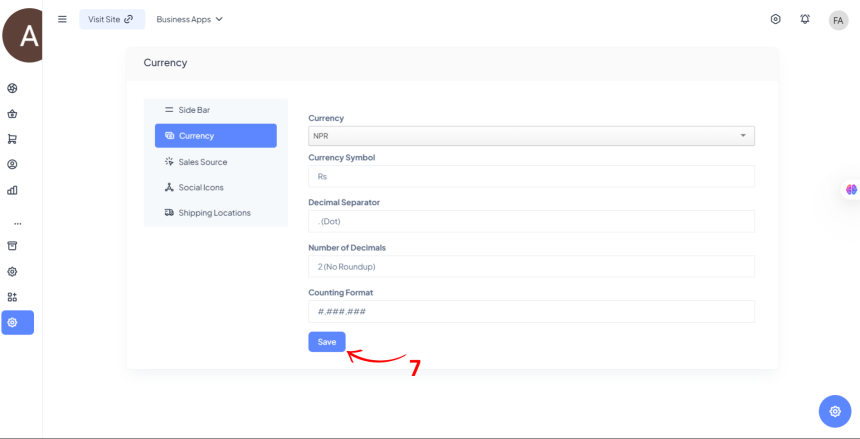
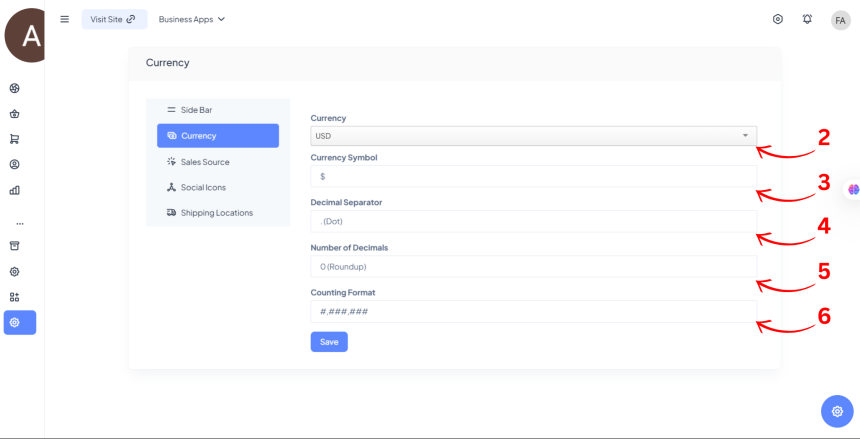
Step 2: Fill in the Currency Details
- Currency: Choose the preferred currency (e.g., USD, NPR, EUR).
- Currency Symbol: Enter the symbol (e.g., Rs, $, €).
- Decimal Separator: Choose how decimals are separated (dot .).
- Number of Decimals:
- Select 2 for no rounding (e.g., 100.50).
- Select 0 for rounding (e.g., 101).
- Counting Format: Define how large numbers appear (e.g., #,###,### or #.##,##,###).
Step 3: Save Your Settings
- Click on the Save button to apply your currency settings.