
How to change the order status in brodox?
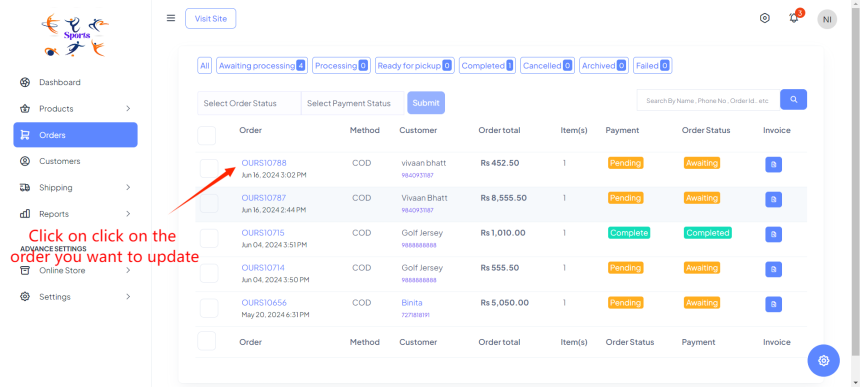
In Brodox, go to the "Orders" section and select the specific order you want to update. Change the order status by selecting the new status from the dropdown menu and save your changes. This will update the order status accordingly.
Step 1: Click on the order you want to update it.
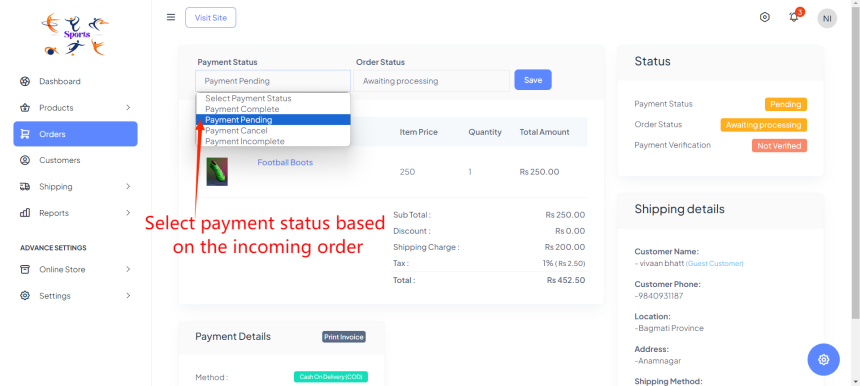
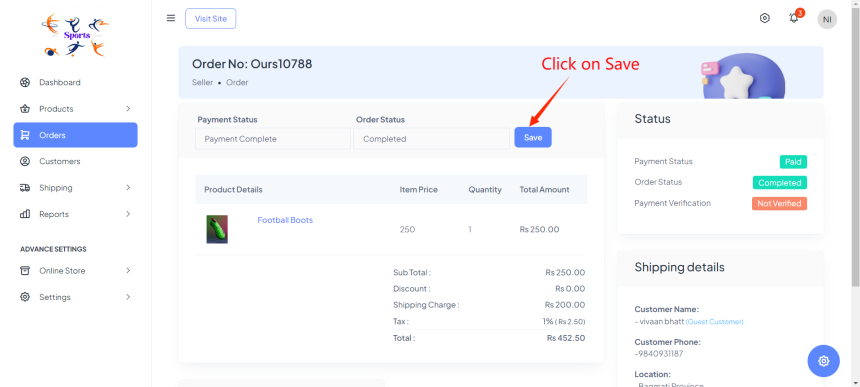
Step 2: Change the payment status by selecting the new status from the dropdown menu and save your changes. This will update the payment status for the order.
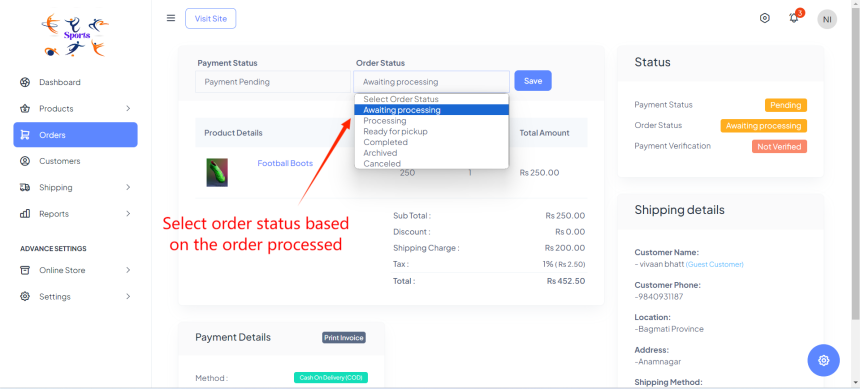
Step 3: Change the order status by selecting it from dropdown menu or a list of available statuses (e.g., Pending, Processing, Shipped, Completed).
Step 4: Click on Save
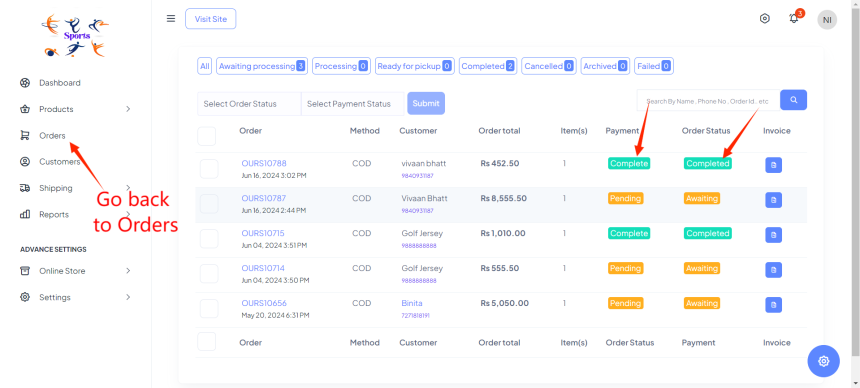
Step 5: Go back to orders and you can see the payment and order status.
Step 1: Click on the order you want to update/ change it status.
Step 2: Select payment status
Step 3: Select order status
Step 4: Click on Save
Step 5: Go back to orders and see the order status and payment.
Visit our blog at blog.brodox.com to learn more about Brodox and stay updated on the latest news. Thanks for visiting!