
Brodox Official 10 months ago
brodox.com

How to Add a Brand in Brodox

Adding a brand in Brodox helps organize your products efficiently. Follow these simple steps:

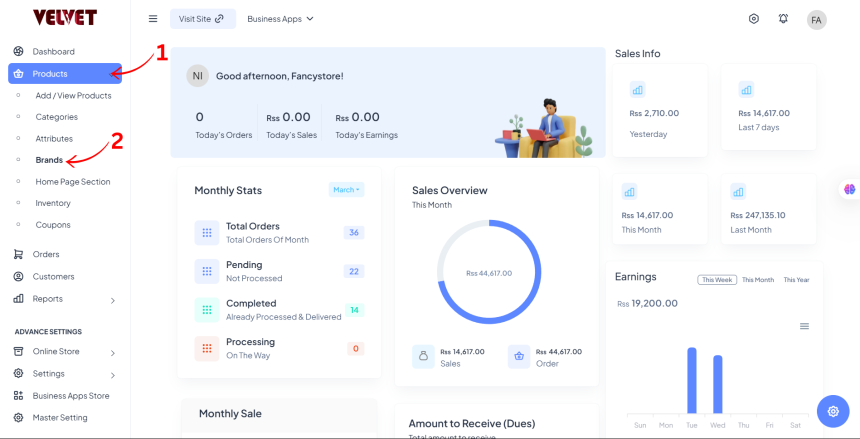
Step 1: Navigate to Brands

  • Go to Dashboard
  • Click on Products
  • Select Brands


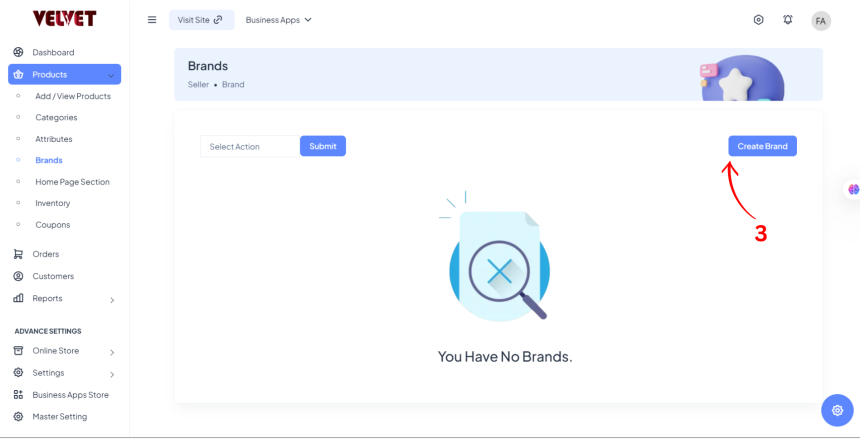
Step 2: Create a Brand

  • Click on Create Brand

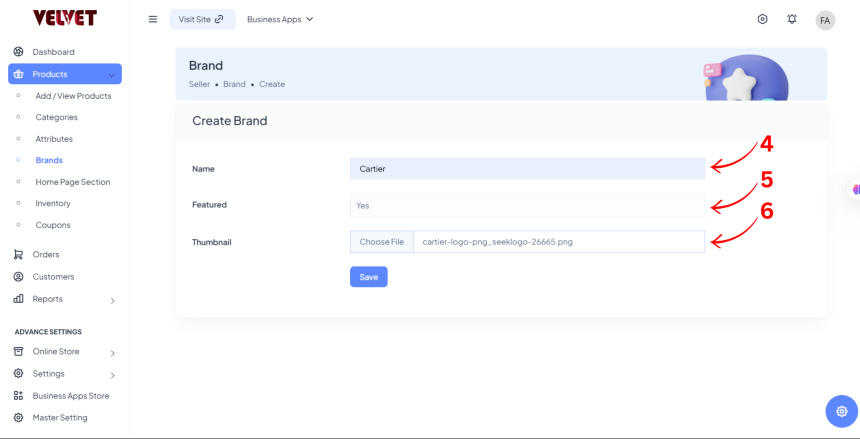
Step 3: Enter Brand Details

  • Brand Name (e.g., Cartier, Nike, Adidas)
  • Featured or Not (Choose if the brand should be highlighted)
  • Thumbnail Image (Upload an image for the brand)
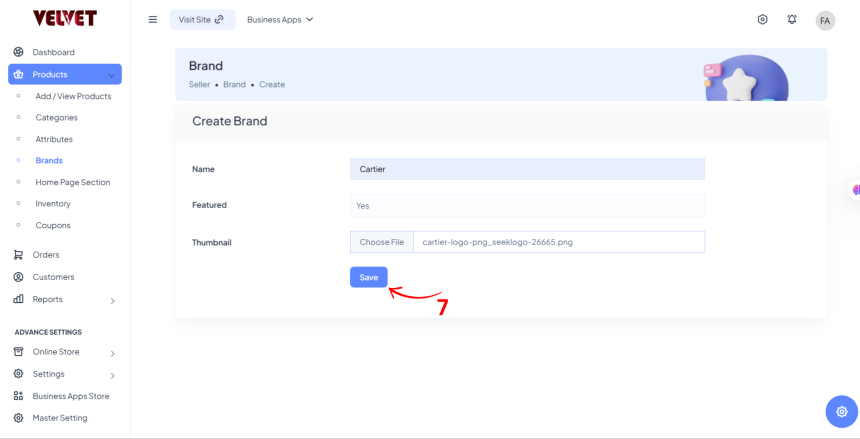
Step 4: Save

  • Click Save to finalize the brand addition.

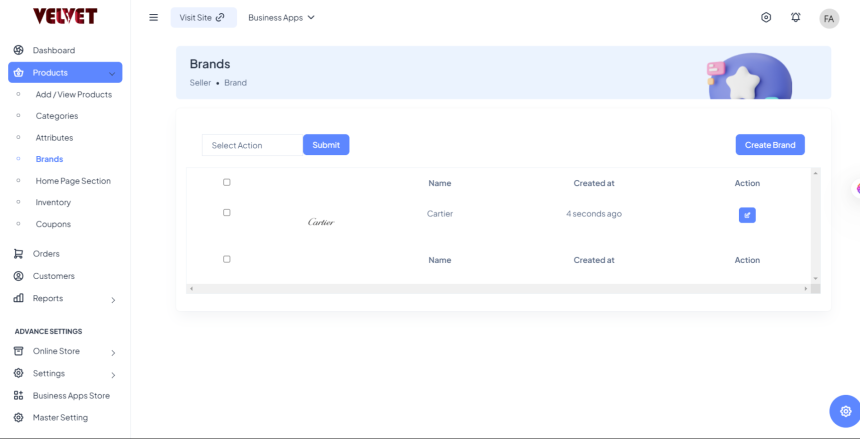
Step 5: Check Your Brand
0
907
Steps to Ecommerce Customization with Brodox Business Apps

Steps to Ecommerce Customization with Brodox Business Apps

1703321151.png
Brodox Official
1 year ago
How can you add slider in Brodox?

How can you add slider in Brodox?

1703321151.png
Brodox Official
1 year ago
How to Add WhatsApp API in Brodox

How to Add WhatsApp API in Brodox

1703321151.png
Brodox Official
10 months ago
How to Add Menu and Footer  Options

How to Add Menu and Footer Options

1703321151.png
Brodox Official
1 year ago
How to Add New Staff and Roles in Brodox

How to Add New Staff and Roles in Brodox

1703321151.png
Brodox Official
10 months ago