
Brodox Official
1 year ago
brodox.com
How to create an offline order basically known as Point of Sales (PoS)
Brodox makes it easy to process in-person sales with its Point of Sale (POS) system. Follow these simple steps to create an offline order.
Steps to Create an Offline Order
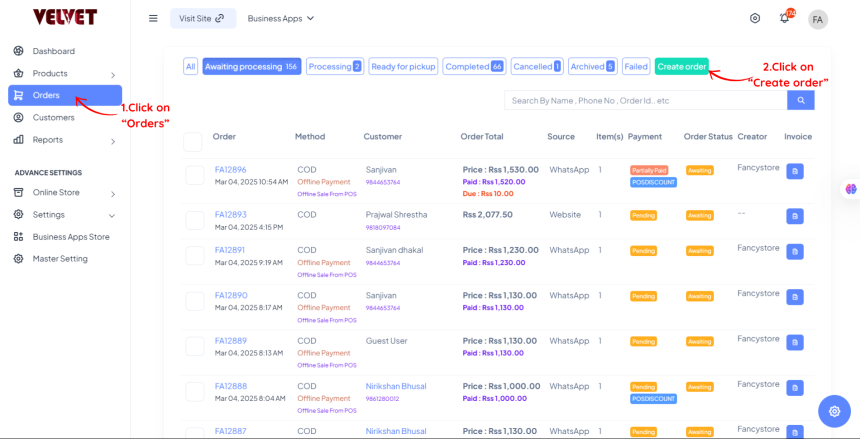
Open the Orders Section
- Log in to your Brodox Seller Dashboard.
- Click “Orders” → “Create Order”.
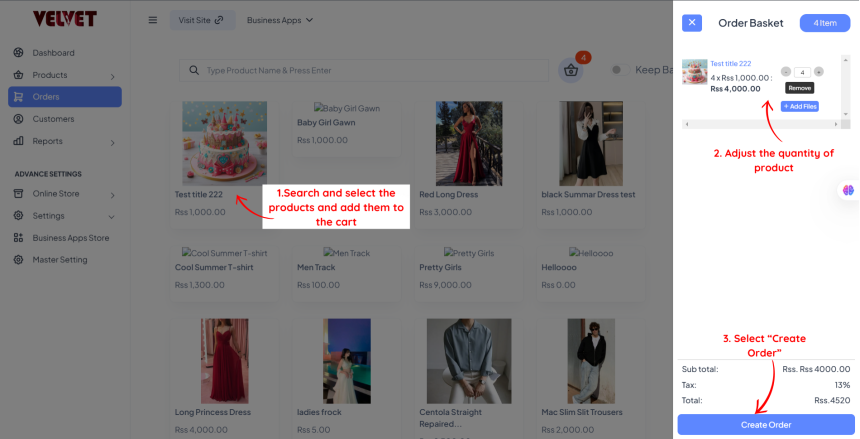
Add Products
- Search for products and add them to the cart.
- Adjust quantity if needed.
Enter Customer Details
- Add customer name and contact and other required details.
- Save the customer for future orders. (Optional)
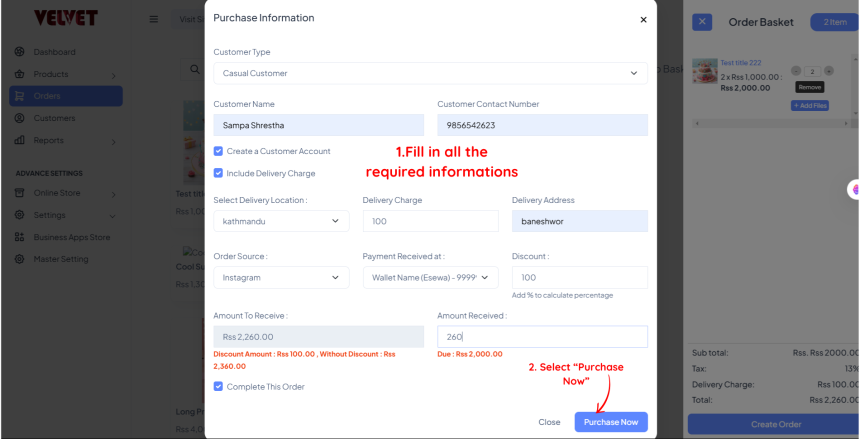
Complete the Order
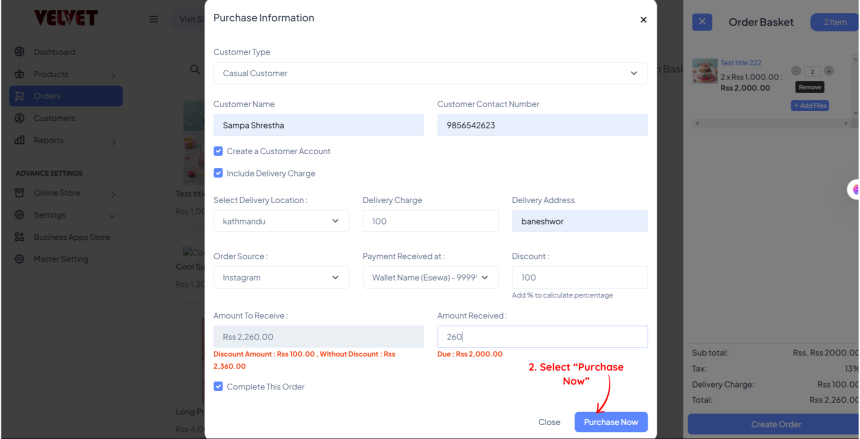
- Click “Purchase Now” to finalize the sale.
Why Use Brodox POS?
✅ Fast and easy order processing
✅ Multiple payment options
✅ Save customer details for future sales