
Brodox Official 10 months ago
brodox.com

How to Add a Customer to Your Store in Brodox

Easily add customers to your Brodox store by entering their details in just a few clicks. Follow these simple steps to register new customers.

Step 1: Navigate to Customers Section

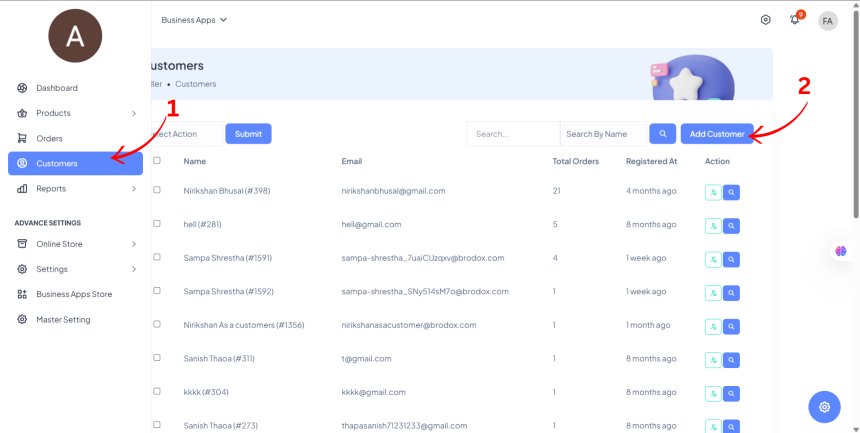
  • From the Dashboard Sidebar, click on Customers.
  • Click on Add Customer.


Step 2: Enter Customer Details

  • Fill in the required customer information, such as Name, Email, and Contact Details.
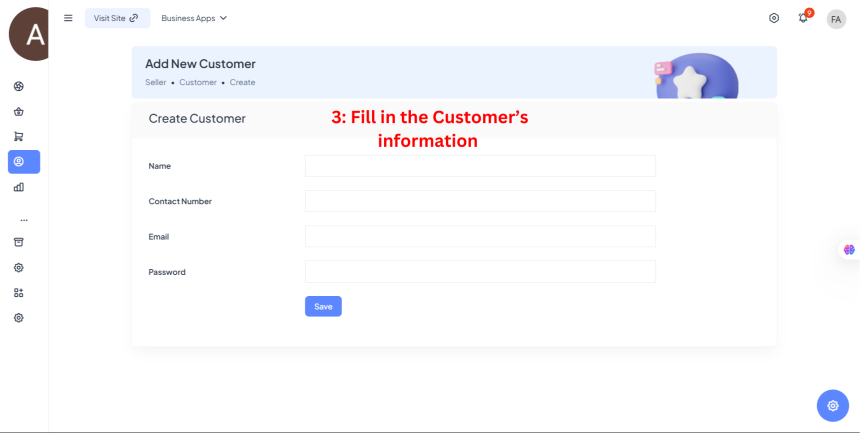

Step 3: Save the Customer

  • Click Save, and that’s it! Your customer has been successfully added to Brodox. 🎉
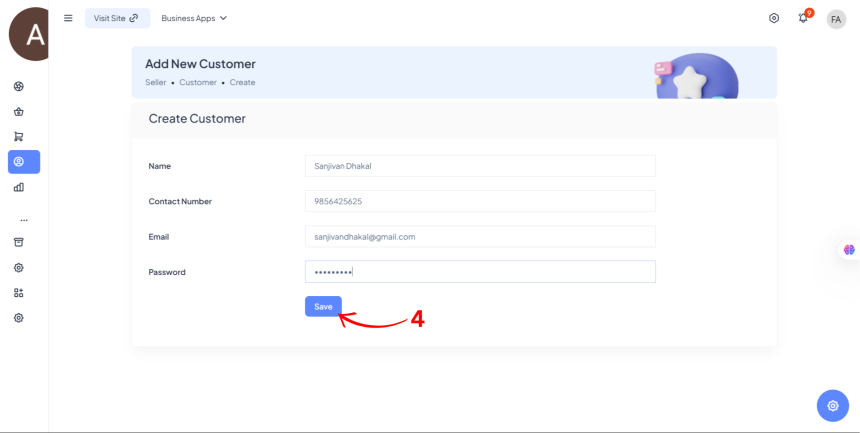

Now, you can manage and engage with your customers easily!

0
856
How to Set up Payment Gateway on Brodox

How to Set up Payment Gateway on Brodox

1703321151.png
Brodox Official
1 year ago
How to Register Business in Brodox?

How to Register Business in Brodox?

1703321151.png
Brodox Official
2 years ago
10 Types of Emails Every Ecommerce Business Can Use

10 Types of Emails Every Ecommerce Business Can Use

1703321151.png
Brodox Official
11 months ago
How to create discount coupon on brodox?

How to create discount coupon on brodox?

1703321151.png
Brodox Official
1 year ago
How to create an offline order basically known as Point of Sales (PoS)

How to create an offline order basically known as Point of Sales (PoS)

1703321151.png
Brodox Official
10 months ago