
Brodox Official 10 months ago
brodox.com

How to Make an Offer Banner for Your Store in Brodox

Boost sales by creating an offer banner in Brodox. Follow these quick steps to display a promotional popup on your eCommerce store.

Step 1: Navigate to Offer Ads

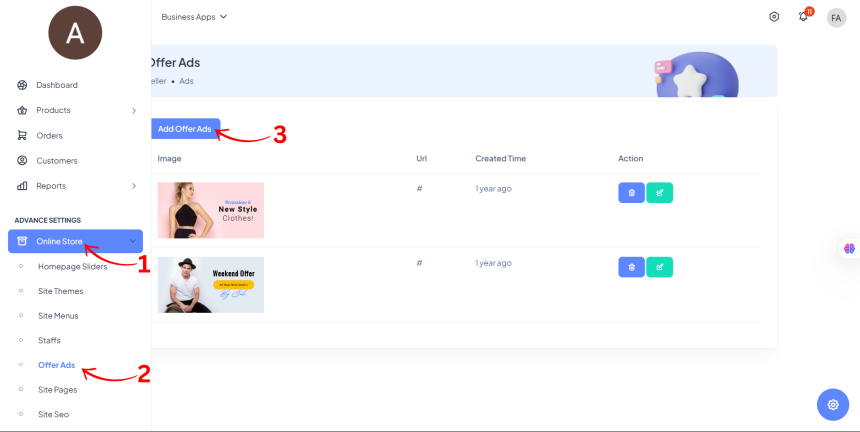
  • From the Dashboard Sidebar, go to Online Store.
  • Click on Offer Ads from the dropdown menu.
Step 2: Add a New Offer Ad

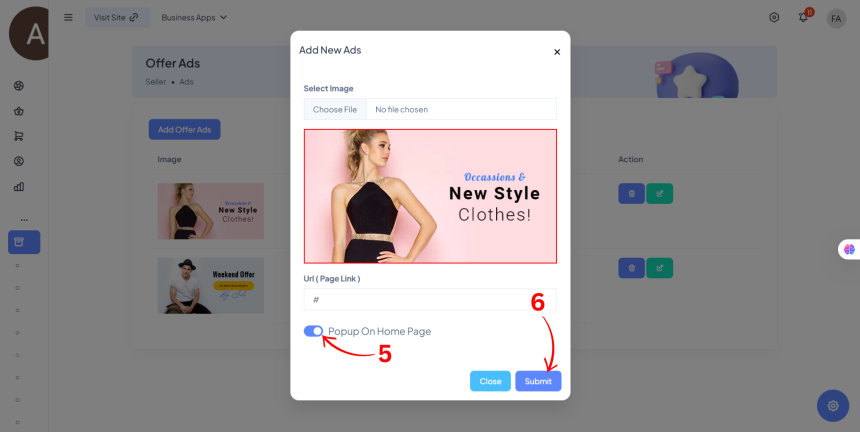
  • Click on Add Offer Ads.
  • Upload the Image/Banner for your offer ad.
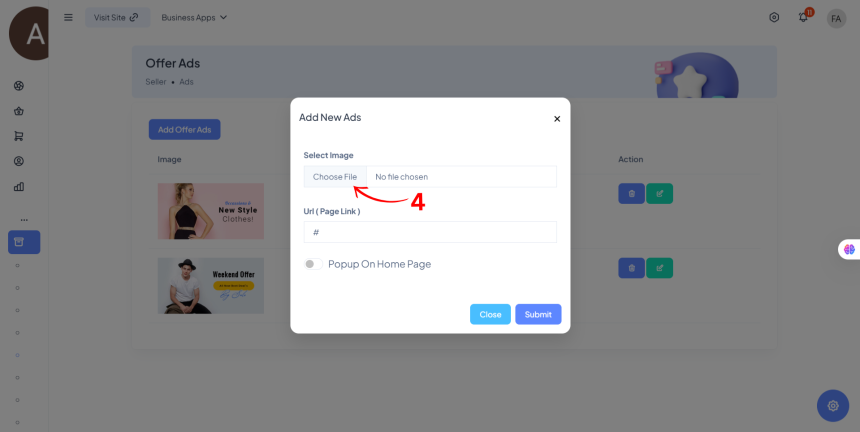

Step 3: Enable and Save

  • Toggle Popup on Home Page to ON.
  • Click Submit to save.

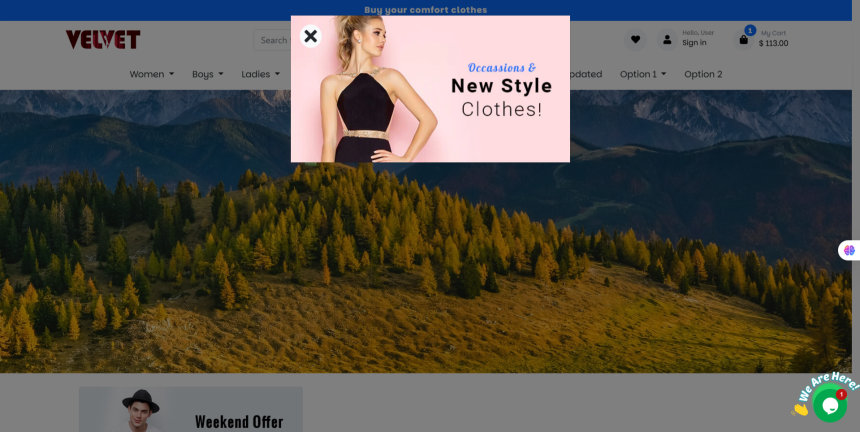
Your offer banner will now appear as a popup on your Brodox store!
0
920
How to update site seo?

How to update site seo?

1703321151.png
Brodox Official
1 year ago
How to create new role and new staff in brodox?

How to create new role and new staff in brodox?

1703321151.png
Brodox Official
1 year ago
Shortcut way to add attributes and its value?

Shortcut way to add attributes and its value?

1703321151.png
Brodox Official
1 year ago
How to Add a Social Icons in Brodox?

How to Add a Social Icons in Brodox?

1703321151.png
Brodox Official
11 months ago
How to view earning report in brodox?

How to view earning report in brodox?

1703321151.png
Brodox Official
1 year ago