

Brodox Official 1 year ago
brodox.com

How to Add/View Product on Brodox

Brodox.com is an intuitive and user-friendly platform designed to help you manage and showcase your products effortlessly. Adding and viewing products is a simple process.

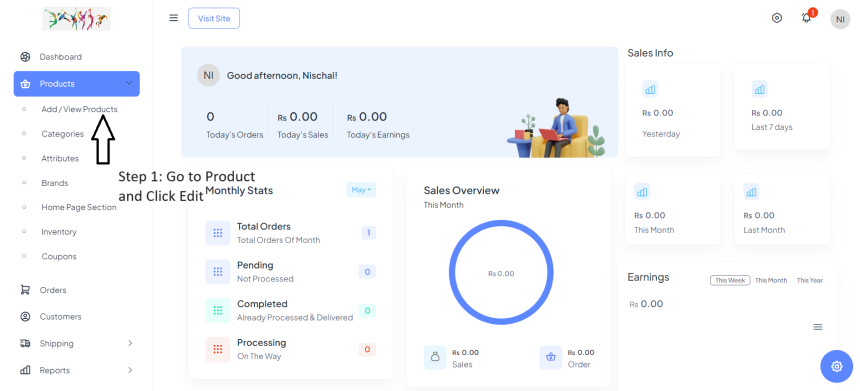
Step 1 : First you must sign in or log in to your account on brodox.com and then Go to Product and Click Edit


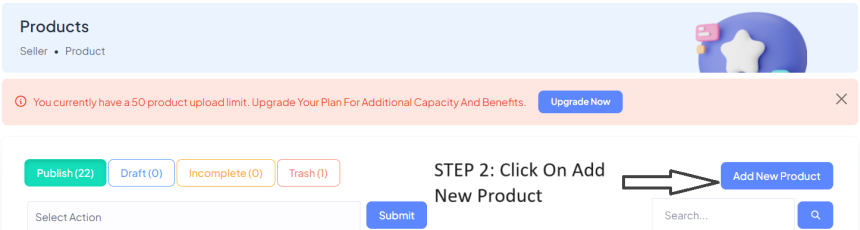
Step 2 : Click on Add New Product


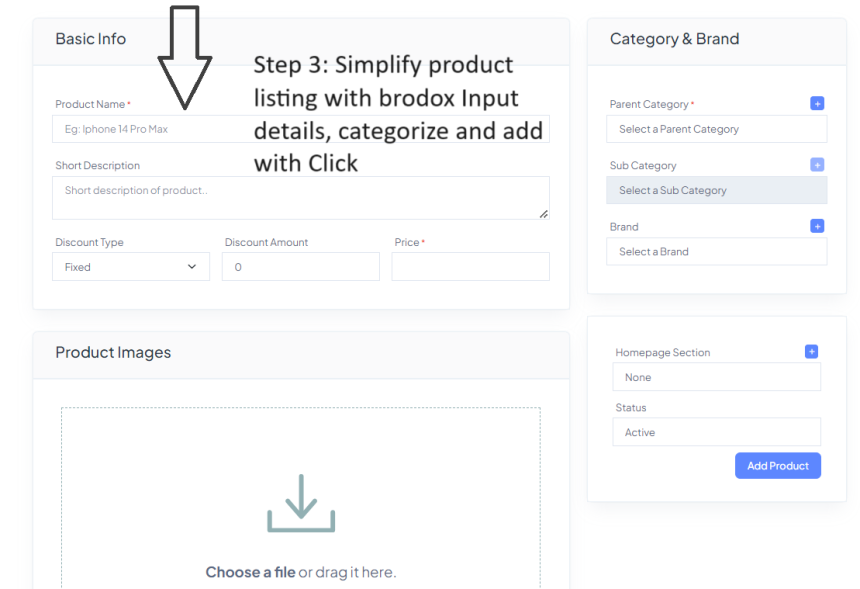
Step 3 : Simplify Product Listing with Brodox: input details, categorize and add with Click


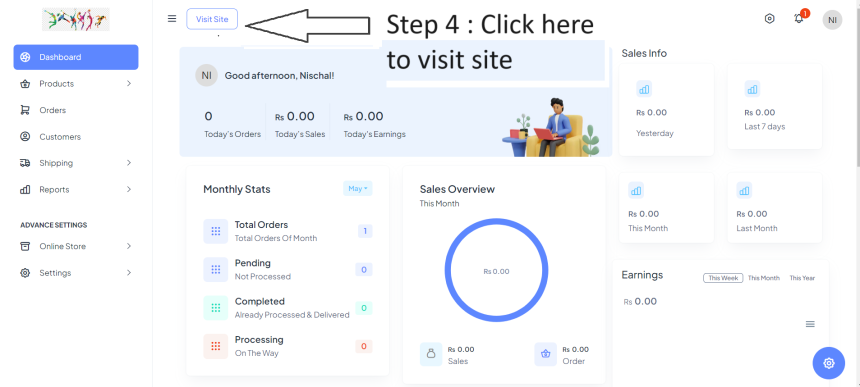
Step 4 : Click "Visit Site"


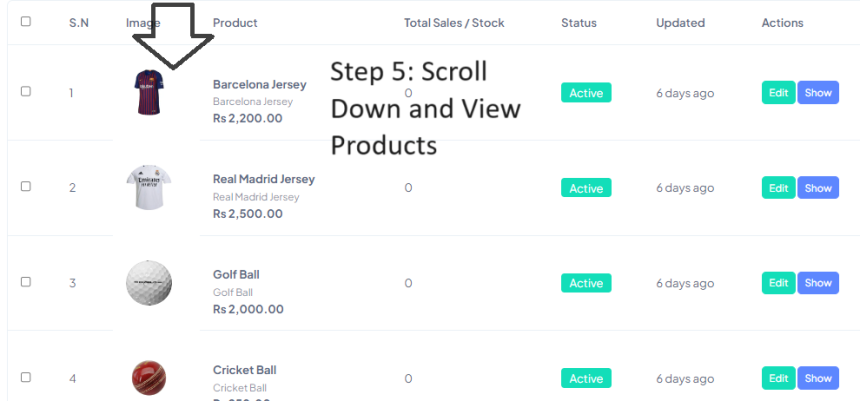
Step 5 : Scroll down and view Products


Visit our blog at blog.brodox.com to learn more about Brodox and stay updated on the latest news. Thanks for visiting!


0
1.0K
How to Connect Custom Domain at Brodox

How to Connect Custom Domain at Brodox

1703321151.png
Brodox Official
1 year ago
How to Install and Use Google Marketing Tools in Brodox

How to Install and Use Google Marketing Tools in Brodox

1703321151.png
Brodox Official
1 year ago
How to Add a Customer to Your Store in Brodox

How to Add a Customer to Your Store in Brodox

1703321151.png
Brodox Official
1 year ago
How to create an offline order basically known as Point of Sales (PoS)

How to create an offline order basically known as Point of Sales (PoS)

1703321151.png
Brodox Official
1 year ago
How to create homepage slider from canvas and upload on brodox?

How to create homepage slider from canvas and upload on brodox?

1703321151.png
Brodox Official
1 year ago