
Brodox Official
1 year ago
brodox.com
How to Delete an Existing Product in Brodox?
Managing your product inventory in Brodox is simple. If you need to remove/delete a product that is no longer available, follow these easy steps to delete it from your store.
Step 1: Log in to Brodox
Visit www.brodox.com and sign in to your account.
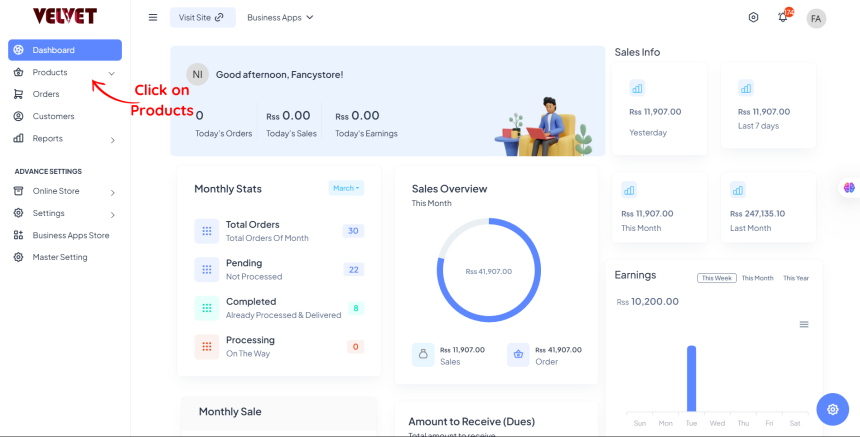
Step 2: Go to the "Products" Section
- From the Dashboard, click on “Products” to view your inventory.
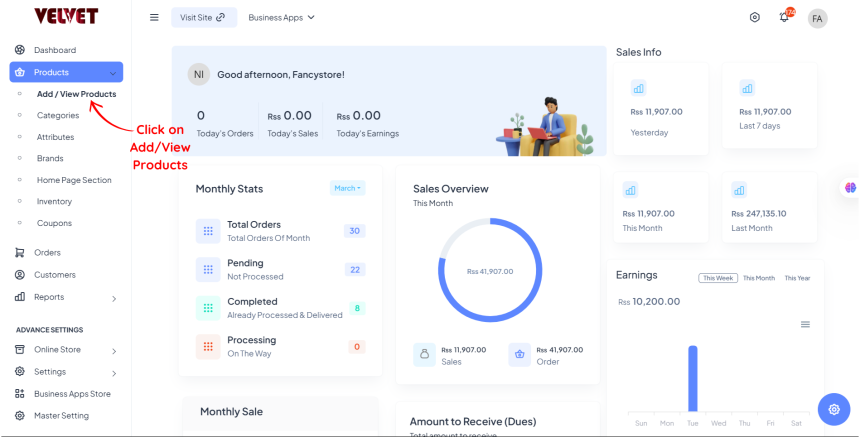
Step 3: Click on Add/View Products
Click on Add/View Products
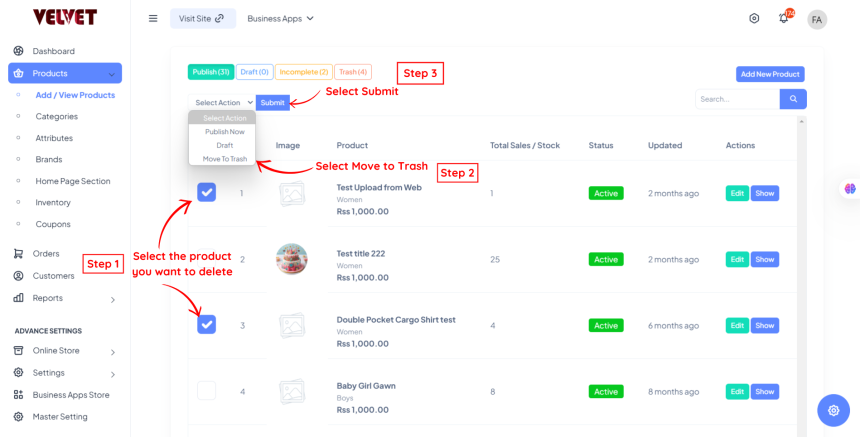
Step 4: Select the Product and Delete
- Search for the product you want to delete.
- Click on Select Action
- Select Move to Trash
- Click on the "Submit" button.
- Confirm the deletion when prompted.
Note: Once deleted, the products in Trash can again be restored.
Final Thoughts
Deleting products in Brodox helps keep your inventory updated and organized. Need more guidance? Visit the Brodox Blog for more tutorials!