
How to create discount coupon on brodox?
To create a discount coupon on Brodox, navigate to Products > "Coupons" and click "Create." Enter the coupon code, expiry date, discount percentage, and usage limit, then toggle the status to active and click "Save."
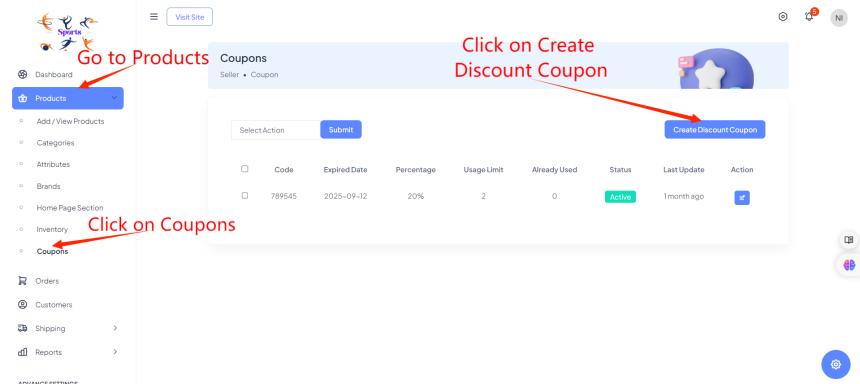
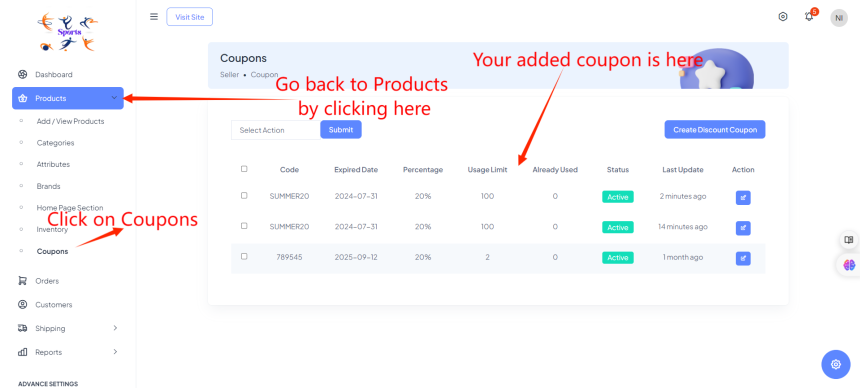
First login to your account. Go to Products and Click on "Coupons". After that, click on the "create discount coupon" button to start creating a new coupon.
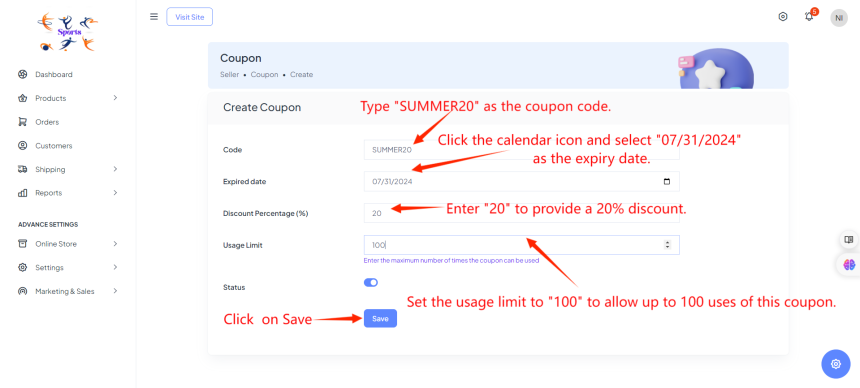
Enter the coupon code, expiry date, discount percentage, usage limit, set the coupon status to active, and click "Save."
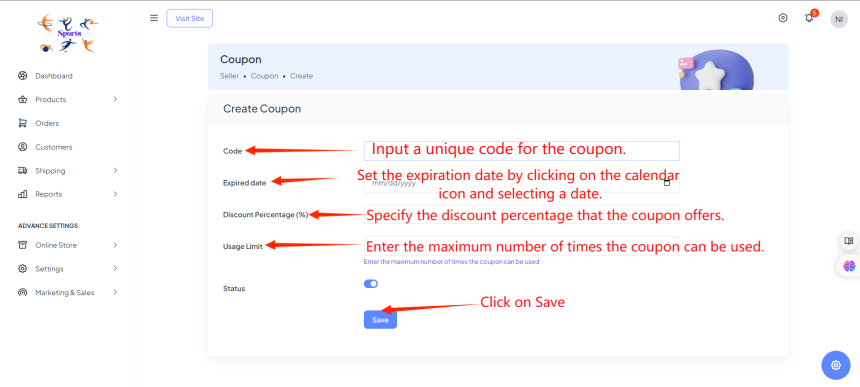
For example, here is the demo of it.
Code: Type "SUMMER20" as the coupon code.
Expiry Date: Click the calendar icon and select "07/31/2024" as the expiry date.
Discount Percentage: Enter "20" to provide a 20% discount.
Usage Limit: Set the usage limit to "100" to allow up to 100 uses of this coupon.
Then go back to products. Clicks on Coupons. You can see the added discount coupon.
For more information, visit our website blog.brodox.com and stay updated on the latest news